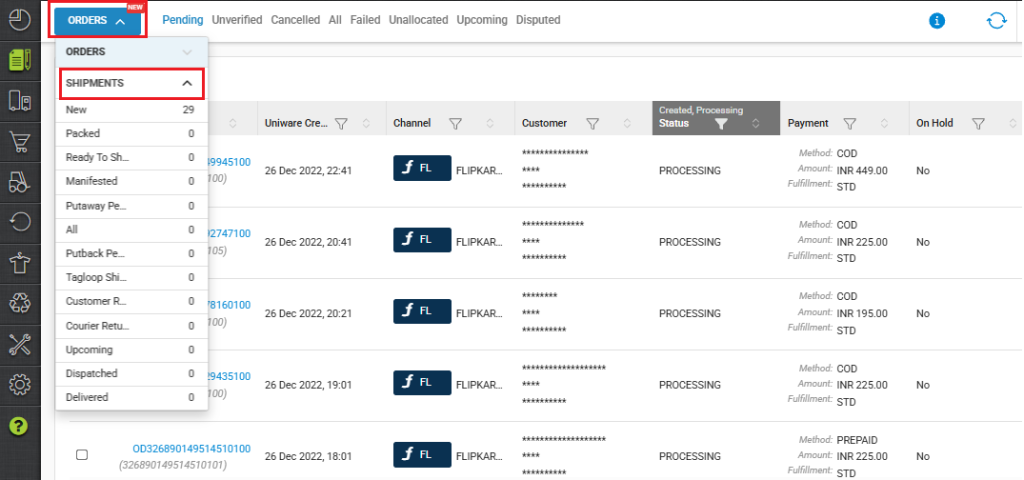
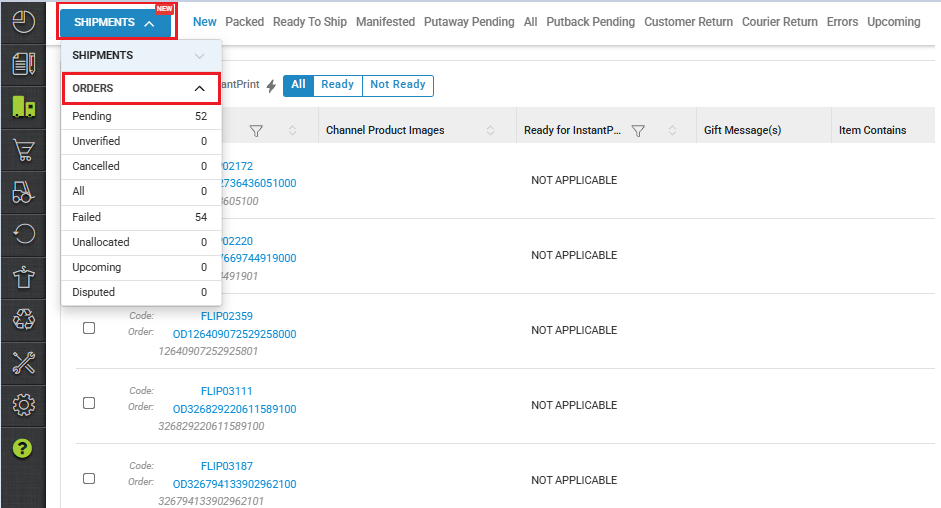
This feature allows us to create a single-window order processing screen for Blink Mode clients, where both Orders and Shipments data tables can be accessed, and visibility can be cleared.
Use Case Scenario
In a real warehouse scenario, operations teams handle a high volume of orders that require rapid processing and dispatch. With the single-window order processing screen, warehouse executives can view both Orders and corresponding Shipments data on one page instead of switching between multiple screens.
For example, during peak hours, a supervisor can quickly filter pending orders, verify shipment readiness. This reduces manual effort, minimizes errors caused by context switching, and significantly improves turnaround time, enabling faster order fulfillment and on-time deliveries.
Pain Point
Currently, sellers performing bulk processing have to navigate across multiple screens and workflows, making the process time-consuming and error-prone:
-
First, they must check for any Unfulfillable (UF) items by going to
Menu → Dashboards → Order Items → Unfulfillable. -
If UF items exist, sellers need to create Purchase Orders (POs) and complete GRN and Putaway to add inventory. Inventory for UF items cannot be added from the same screen.
Even inventory adjustment is on a separate page, and in many cases, items with zero inventory are not displayed, making adjustments difficult. -
Next, sellers must navigate to the Orders page to identify Failed Orders, select them, and click on Fix Problems.
-
They also need to separately check and verify any unverified orders.
-
Once the Sale Order Processor runs, shipments are created for these orders. The seller then has to move to the Shipments page to continue processing the shipments until Dispatch.
Overall, the current flow requires multiple menu navigations, context switching, and manual checks, significantly increasing processing time and operational complexity for bulk order handling.
Applicability
Version: SMB , Enterprise
Traceability: None, SKU, Item trace
Objective
-
Eliminates the need to navigate across multiple pages while processing orders, reducing dependency on multiple menus and workflows.
-
Reduces overall navigation time and manual effort, allowing sellers to focus more on execution rather than system navigation.
-
Allows easy access to both Orders and Shipments from the same page, providing better visibility of the end-to-end order lifecycle.
-
Simplifies and speeds up bulk order processing, resulting in faster fulfillment and fewer operational errors.