
We are integrated with shipping provider – SMSA Express
Follow the simple steps shared below:
1- On the path Settings > Shipping Providers
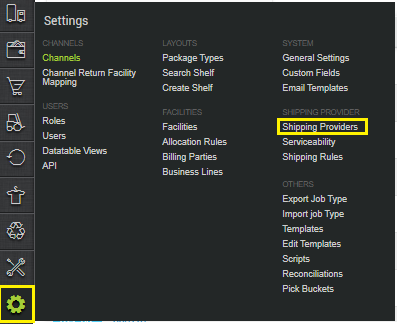
2- Click on “Add Shipping Provider“.

3- Search for “SMSA“, then click on SMSA to fill the details.
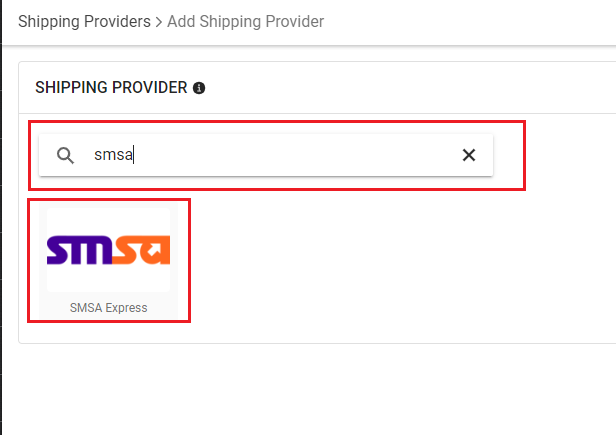
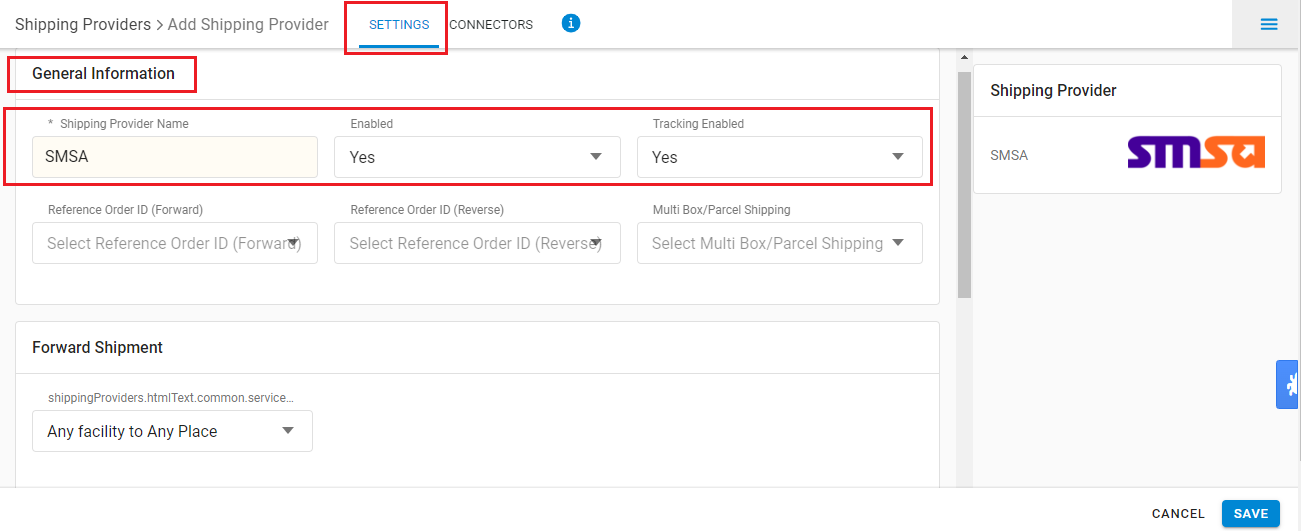
4- Now fill in the details as mentioned below:
General Information
| PARAMETER (M: Mandatory) | DESCRIPTION/VALUES |
| Shipping Provider Name | Enter the Shipping provider name. |
| Enabled | Yes/No To mark shipping provider enable or disable in Uniware. |
| Tracking Enabled: | Yes/No Select this to “Yes” (Default), as shipping provider provides tracking info. |
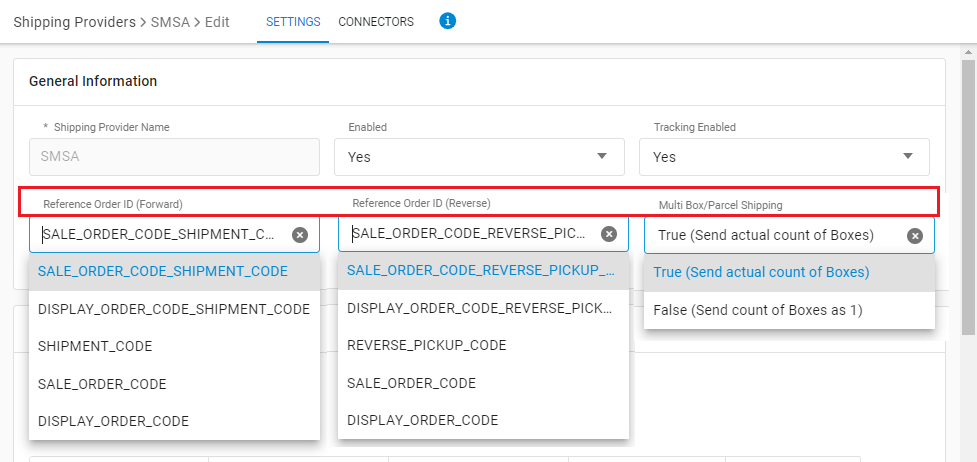
| Reference Order ID (Forward) |
– SALE_ORDER_CODE_SHIPMENT_CODE (default value) |
| Reference Order ID (Reverse) |
– SALE_ORDER_CODE_REVERSE_PICKUP_CODE (default value) |
| Multi Box/Parcel Shipping |
– True ( Send actual count of Boxes ) |
Forward Shipment/Reverse Shipment (If Applicable)
- Serviceability:
- Any facility to any Place
- This Facility to selected Pincodes
- Any Facility to Selected Pincodes (Generally use this serviceability)
- Forward Shipment: Add both the Shipping Methods COD and Prepaid with AWB Generation selected as API.
- Reverse Shipment: ReversePickup-Prepaid Shipping Methods with AWB Generation selected as API.
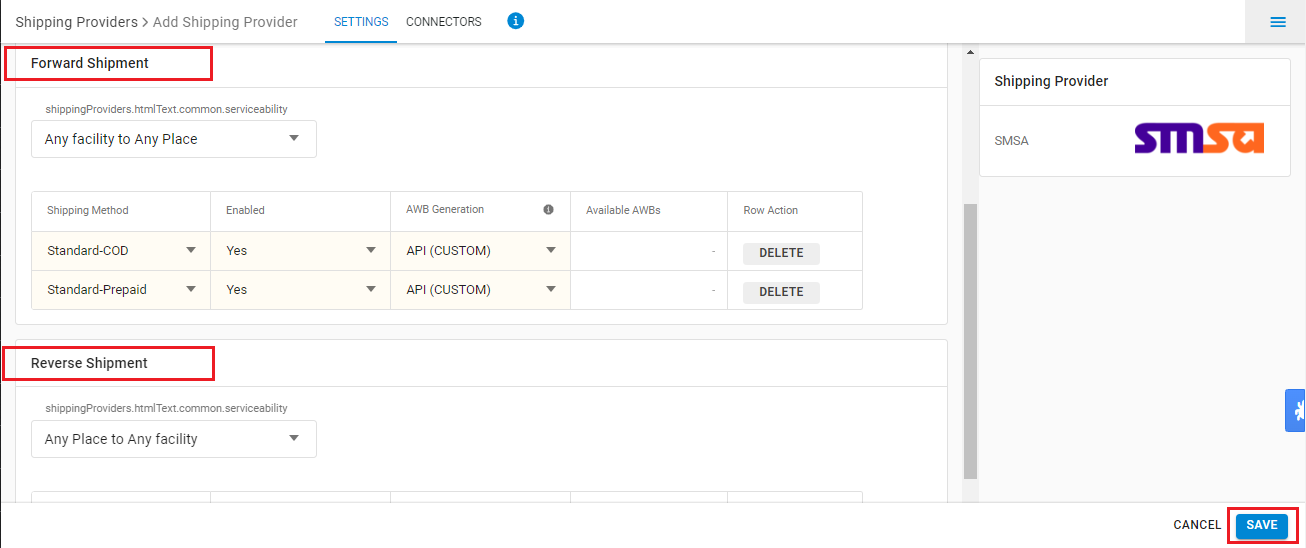
5- Now save the details by pressing the button Save.
6- Click on Connectors and update the credentials for API settings.
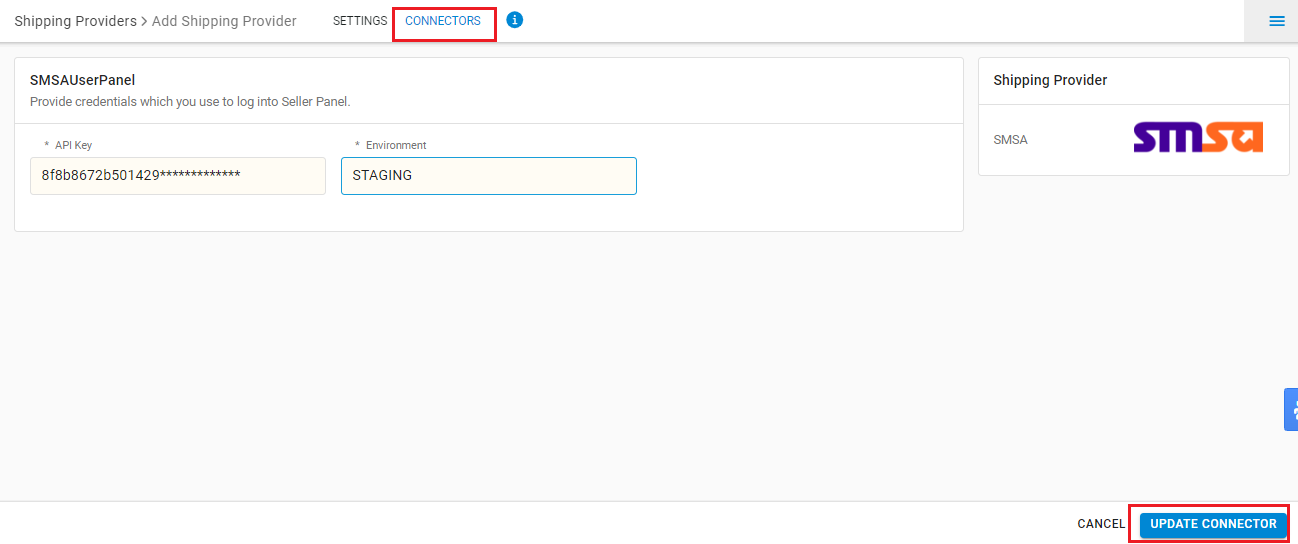
Connectors:
| PARAMETER (M: Mandatory) | DESCRIPTION/VALUES |
| API Key (M) | The Unique API Key Provided by SMSA Team to each seller. |
| Environment | STAGING /PRODUCTION Choose between STAGING or PRODUCTION based on your requirements. – “PRODUCTION”, to hit Production Endpoint. – “STAGING”, to hit Staging Endpoint. |
7- Click on Connector to authenticate and connect the connectors and finish the integration process.
Below are the feature highlights of this integration:
- This is a shipping courier partner that provides services in Middle East (ME) region.
- Both Forward and Reverse Shipments are supported.
- AWB tracking is present.
- Label pdf is provided by SMSA.
- Manifest is provided by UC.