
Integration : Milkbasket
Overview
Milkbasket is quick commerce channel. Previously, sellers received Purchase Orders (POs) via email and manually entered them into their Order Management System (OMS).
Uniware now automates this process through email parsing, eliminating manual data entry and unifying your Quick Commerce order management.
Key Features
- Centralise Processing : Sellers using Uniware OMS for Quick Commerce order processing to provide unified centralise process.Manage Milkbasket orders directly within Uniware alongside other Quick Commerce channels (like Blinkit, Zepto, and Instamart).
-
Automated Order Sync: Fetch orders automatically by forwarding PO emails to Uniware.
- Single SOP: Integrate channels into Uniware Quick Commerce Orders process vai API & Email Parsing, it follows single SOP.
Prerequisites
- Order must be created as B2B.
- PO Hygiene functionality must be enable for Uniware account to use this channel.
-
Set up an auto-forwarding rule in your email client to forward Milkbasket PO emails to partner-int@unicommerce.com.
Integrate with Uniware
Follow bellow steps to integrate Milkbasket with Uniware.
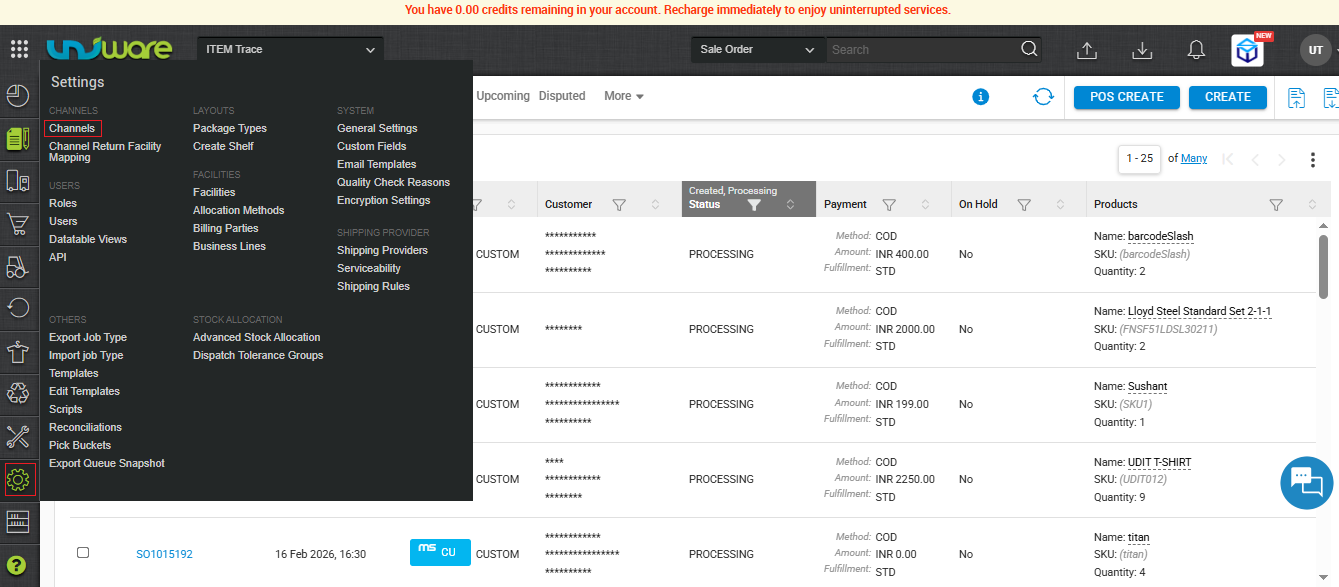
STEP -1 : Visit Uniware Menu & Click on Channels
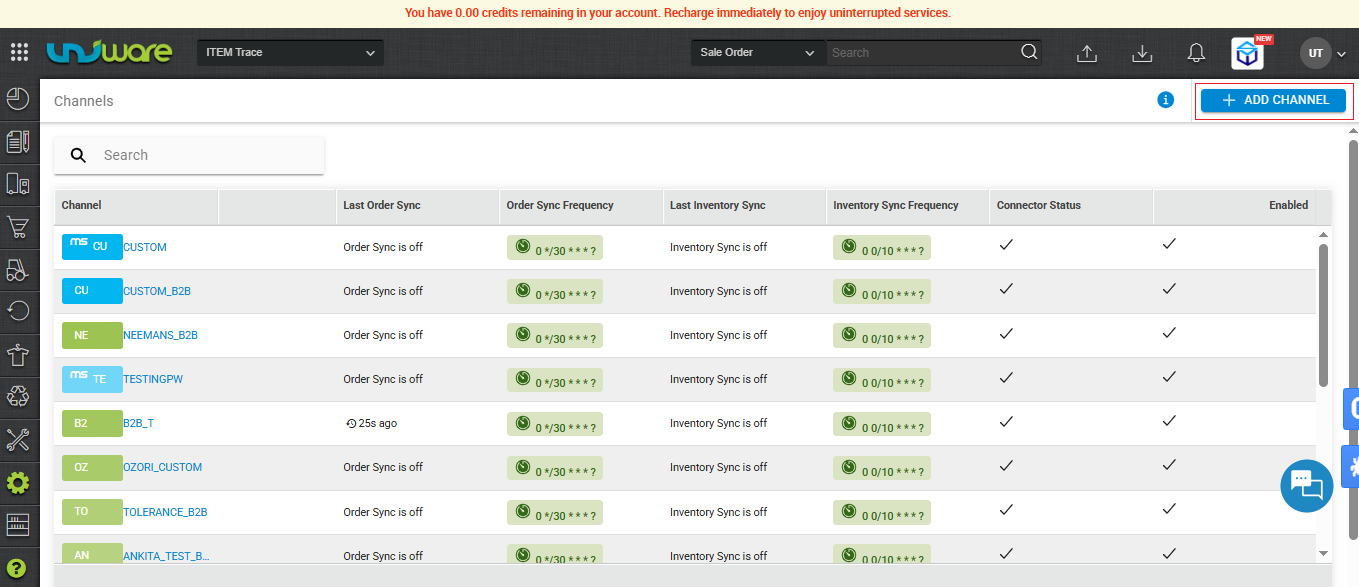
STEP-2 : Click on Add Channels
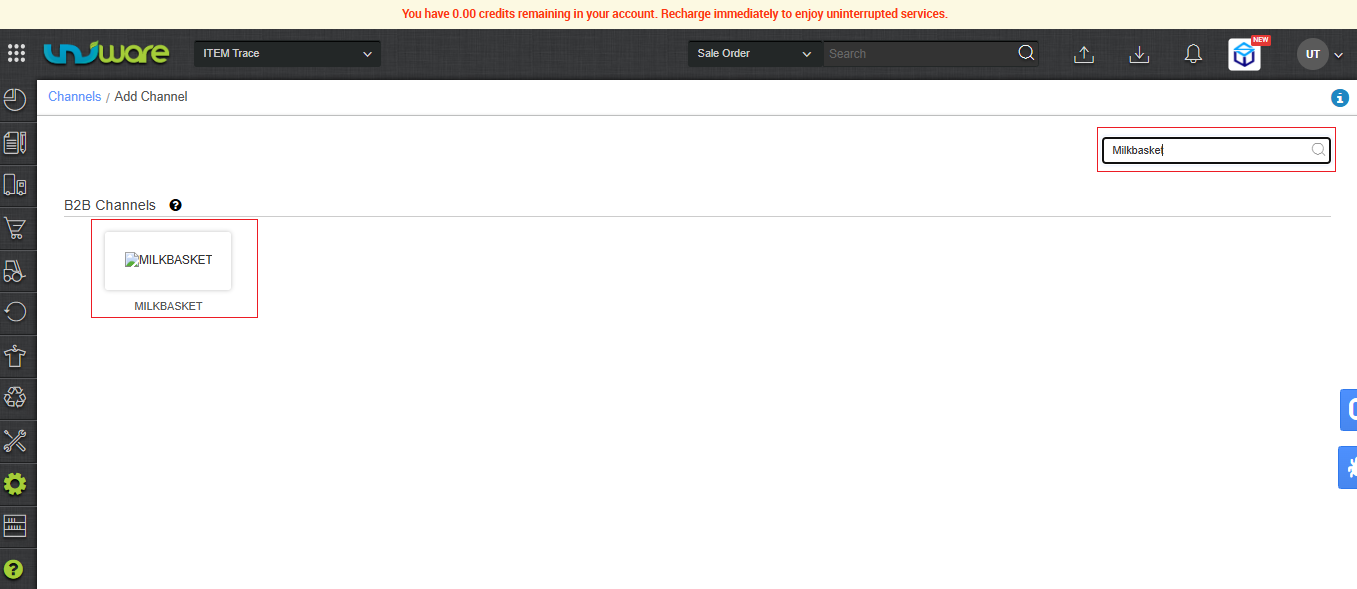
STEP-3 : Search & Select Milkbasket
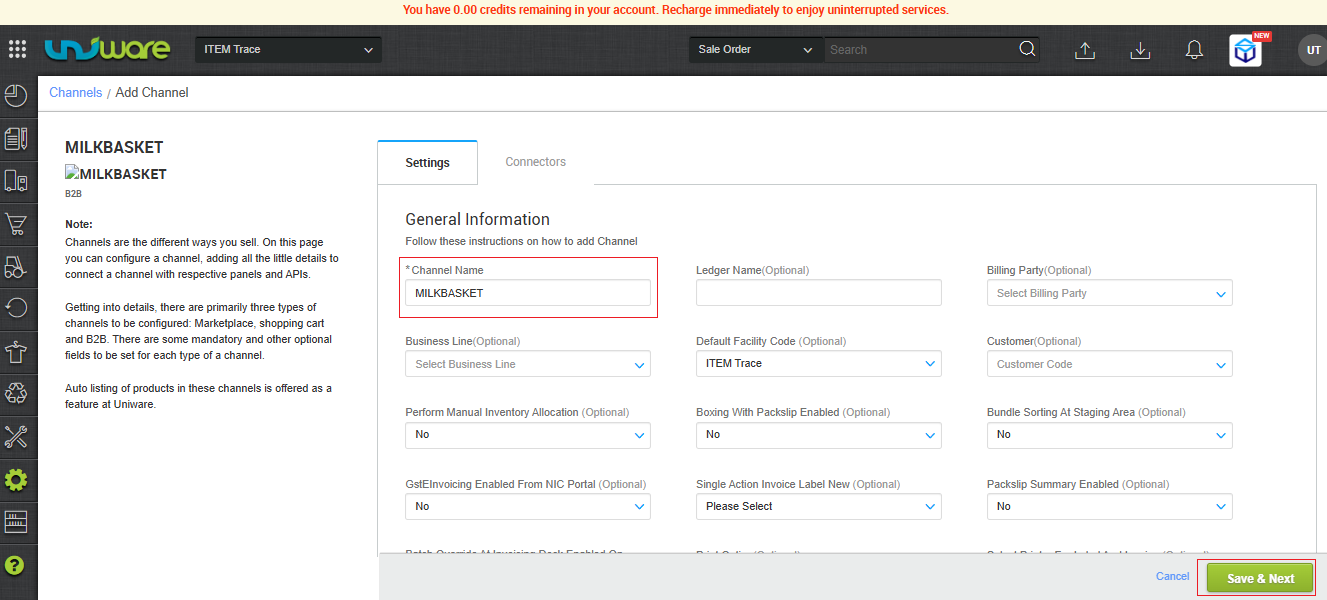
STEP-4 : Fill Information and Click Save & Next
STEP-5 : Navigate on Connector Tab, Fill Information & Click Connect
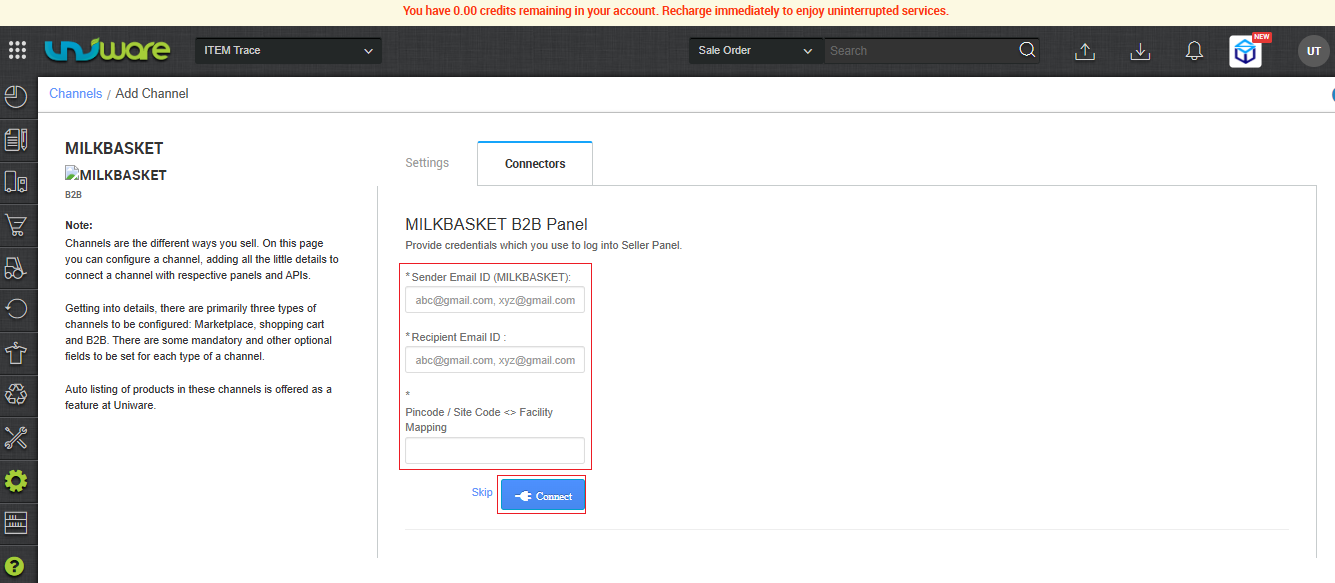
| Parameter | Description |
| Sender Email | Enter the email address from which you receive the Milkbasket POs. |
| Recipient Email | Enter the Uniware parsing email address (partner-int@unicommerce.com). |
| Pincode <> Facility Mapping | You must map the pincodes. At the time of parsing, Uniware reads the Pincode in the PO’s “Supplier Address” section and automatically routes the order to the mapped Uniware facility. |
| Note: If you manually forward the POs to Uniware, enter your own seller email address here. |
Frequently Asked Questions (FAQ’s)
Q1. How frequently does Uniware sync orders from Milkbasket?
Ans. Uniware syncs orders from forwarded emails based on your configured fetching window.
Q2. Can I forward Milkbasket PO emails to Uniware manually?
Ans. Yes. If you manually forward a PO email, ensure that you configure the Sender Email in the Uniware Connector settings to match your own email address (the email ID from which you are forwarding the PO), and set the Recipient Email to partner-int@unicommerce.com.
Q3. How does Uniware assign a Milkbasket order to a specific facility?
Ans. The system reads the Pincode located in the “Supplier Address” section of the Milkbasket PO. It then checks the Pincode <> Facility Mapping you configured in the Connectors tab and creates the order in the corresponding facility.