
Introduction
Being Ships is a logistics aggregation platform used to provide seamless shipping solutions & handle logistics part across India.
Purpose
Unicommerce integrates with Being Ships to help sellers automate tracking shipments based on AWB, forward shipment, sellers able to reallocate it for reverse shipments.
Key Features
- Smart Tracking : The system automates AWB tracking for both forward and reverse shipments.
- Bi-Directional Shipment : Being Ships Supports Both forwards and Reverse directional shipment.
- Label Generation : Being Ships generates and provides the PDF shipping labels for Forward shipment.
- Shipper Reallocation : Being Ships enables sellers to reallocate on cancelled shipments.
How to Configure Being Ships in Uniware
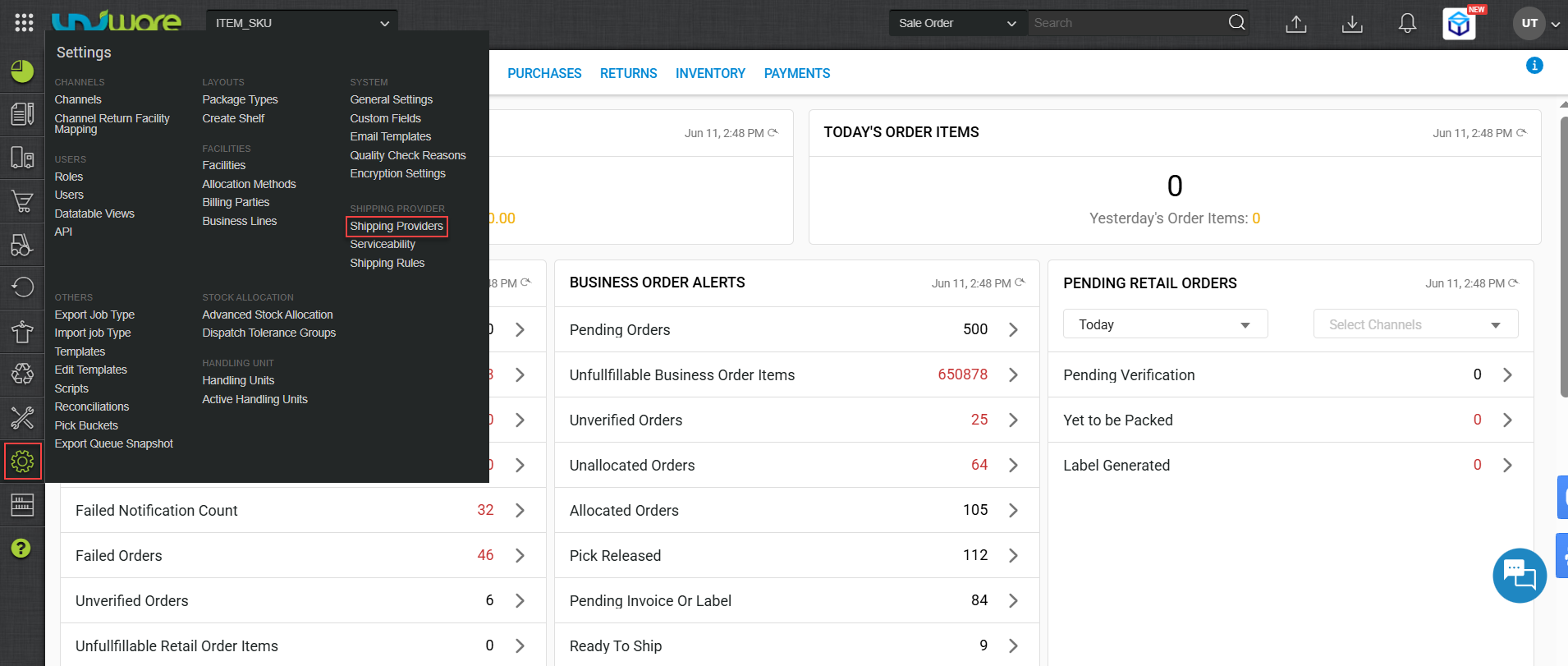
Step-1 : Login Uniware, Hover Settings & Click Shipping Provider
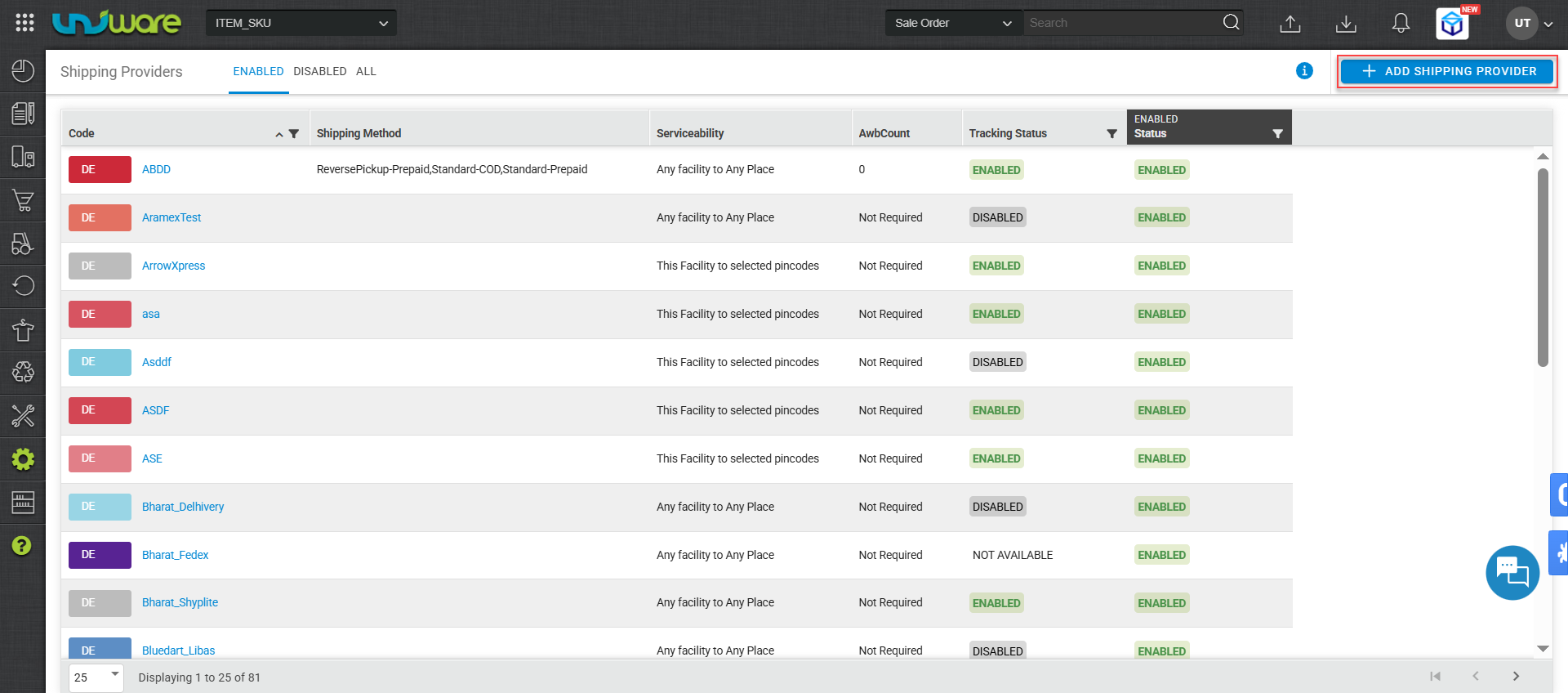
Step-2: Click Add Shipping Provider.
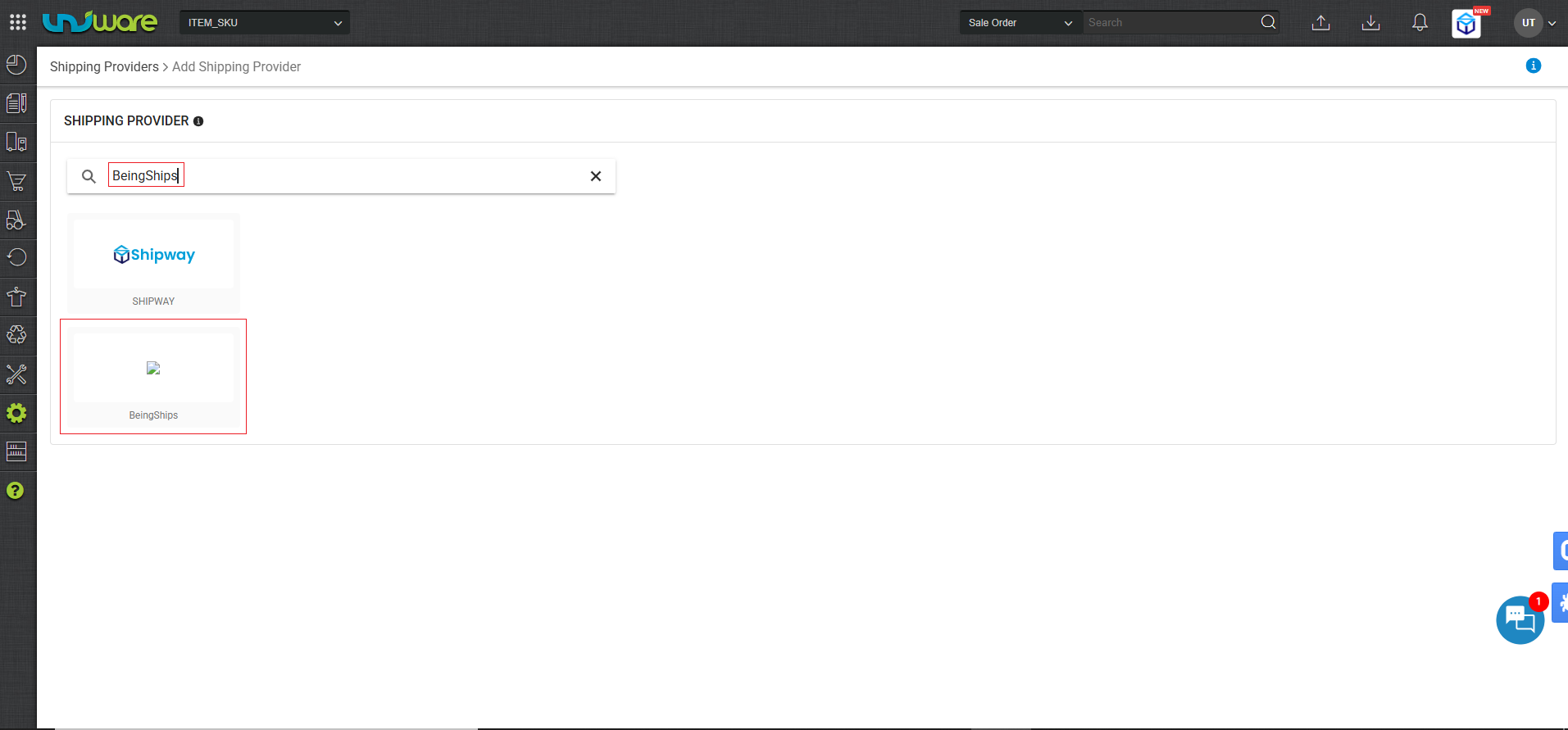
Step-3: Search & Select Being Ships
Step-4 : Navigate Settings Window, Enter Information & Click Save.
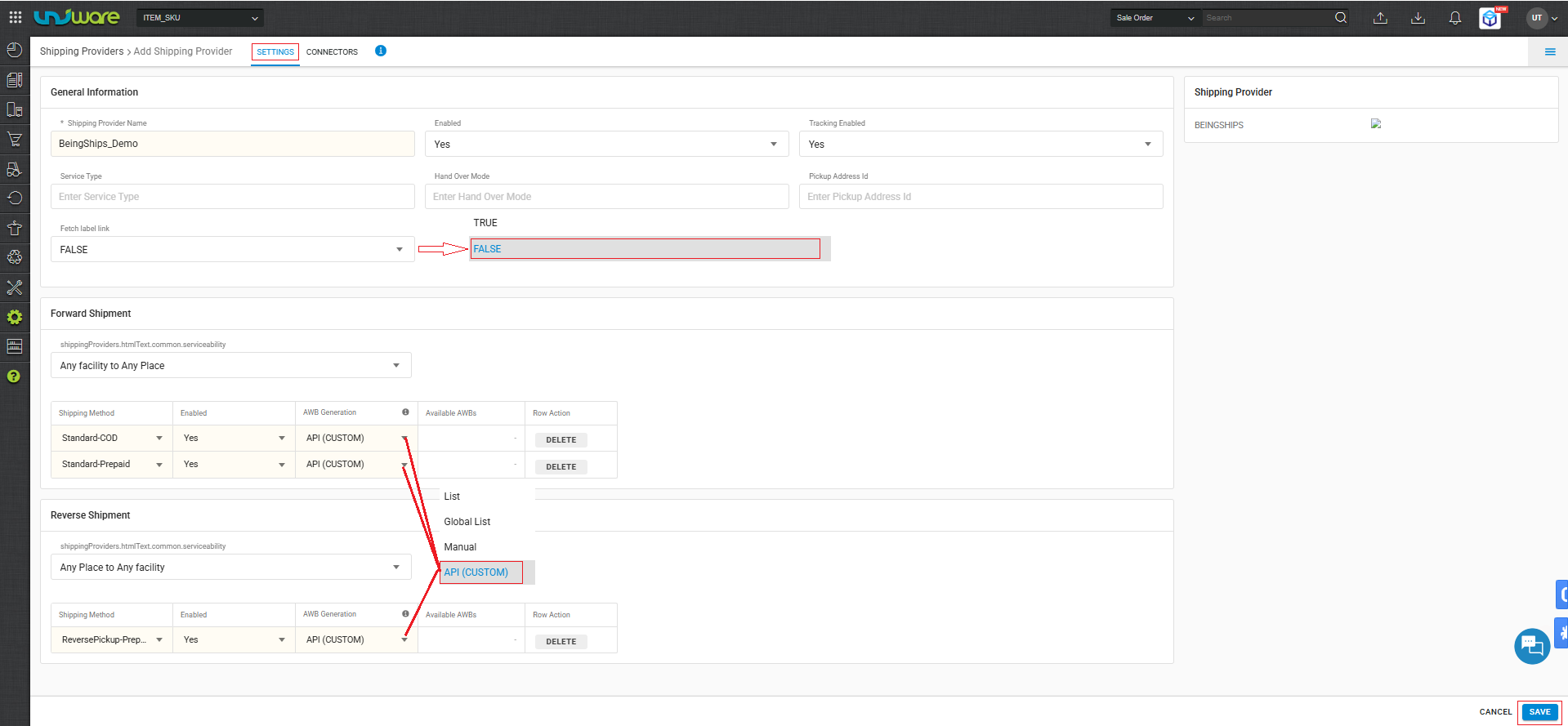
| Fields | Parameters |
| Service Type | Leave Blank |
| Handover Mode | Leave Blank |
| Note : Must ensure ‘Fetch label link’ set to False. |
| True : Forward Shipping label generates by Unicommerce. |
| False : Forward Shipping label generates by Being Ships. |
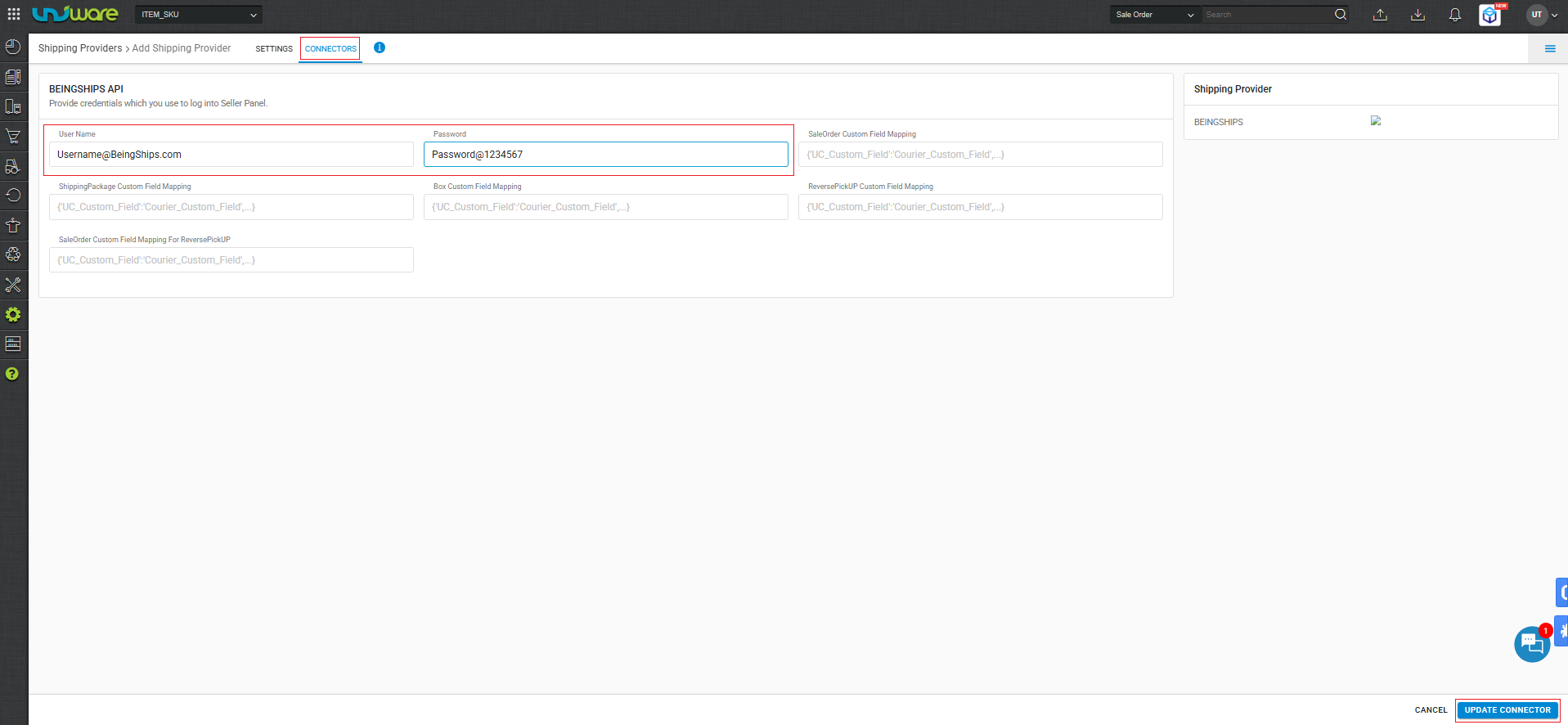
Step-5: Navigate to Connector Window, Enter Credential & Click Update Connector
Frequently Asked Questions (FAQ’s)
Q1. Which Shipment Method does Being Ships support ?
A. Being Ships supports both forward & Reverse Shipment method.
Q2. Does Being Ships provide the shipping label ?
A. Yes, Being Ships generates and provides the PDF label, but only for forward shipments.
Q3. Can sellers reallocate a shipper if an order is cancelled ?
A. Yes, Being Ships enable sellers to reallocate cancelled shipments.