
Introduction
Bigship is a prominent logistics aggregator in India, streamlining the shipping process by providing access to multiple carrier partners through a single platform.
By integrating Bigship with Uniware, sellers can automate their fulfillment workflow, reduce manual errors, and ensure faster delivery cycles across a vast network of pin codes in India.
Purpose of Integration
The primary objective of integrating Bigship with Uniware is to centralize logistics management. This integration allows sellers to:
- Automate AWB (Air Waybill) generation.
- Fetch and print shipping labels directly from the Uniware panel.
- Synchronize real-time tracking information.
- Manage courier reallocation seamlessly, ensuring that cancellations do not disrupt the fulfillment flow.
Key Features
- Aggregator Advantage: Access multiple courier partners under the Bigship umbrella within a single interface.
- Domestic Focus: Specialized handling for logistics operations across the Indian market.
- Forward Logistics: Robust support for standard forward shipments.
- Automated Tracking: Real-time AWB tracking status updates.
- Dynamic Labeling: Direct fetching of Bigship-generated PDF labels.
- Flexible Reallocation: Ability to reallocate shipments even after order cancellations.
How to Integrate
To enable the Bigship integration in your Uniware environment, follow these steps:
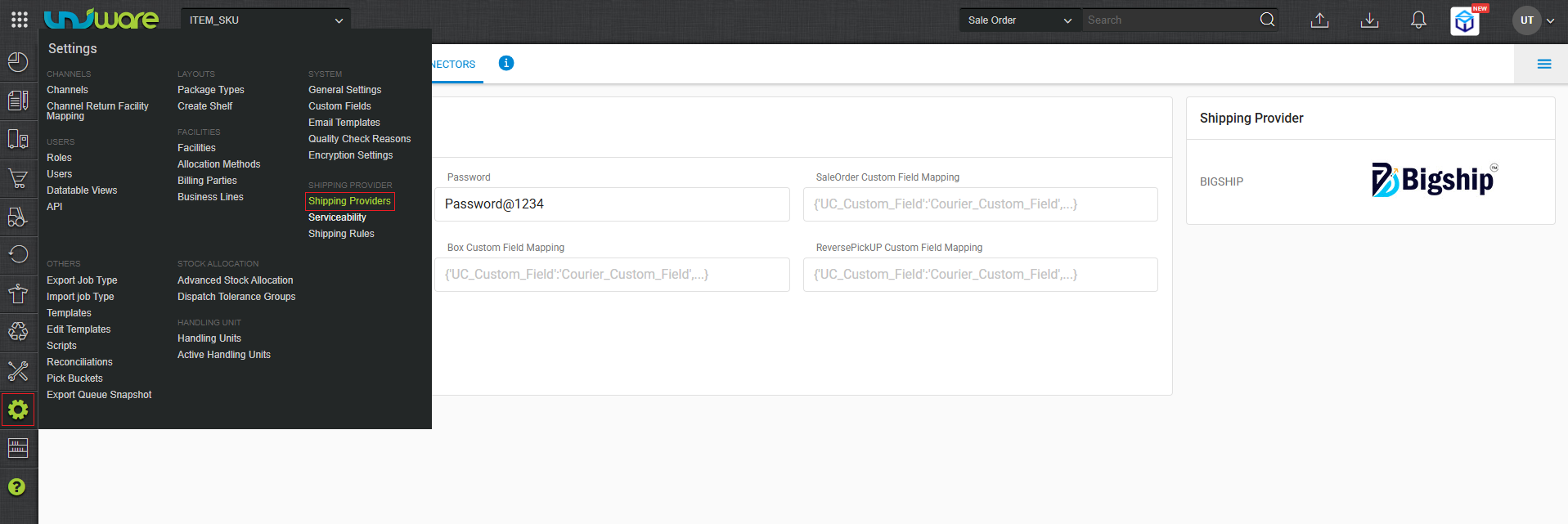
Step-1 : Login Uniware, Hover Settings and Click Shipping Provider.
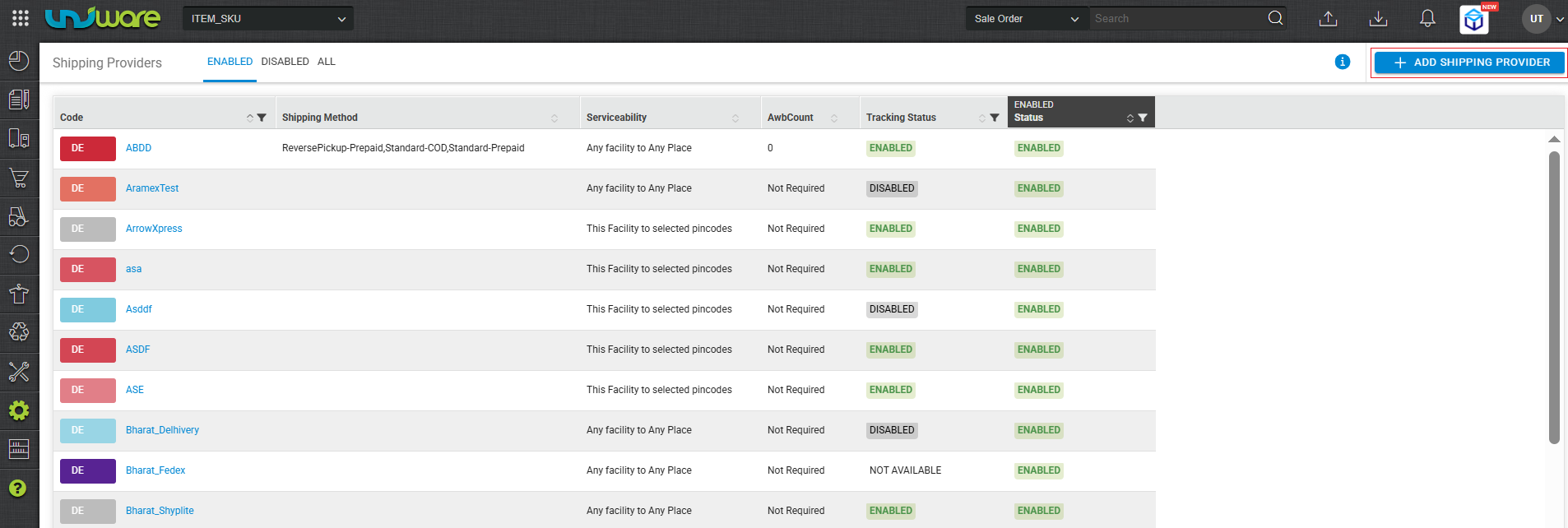
Step-2 : Click on “+ ADD SHIPPING PROVIDER“
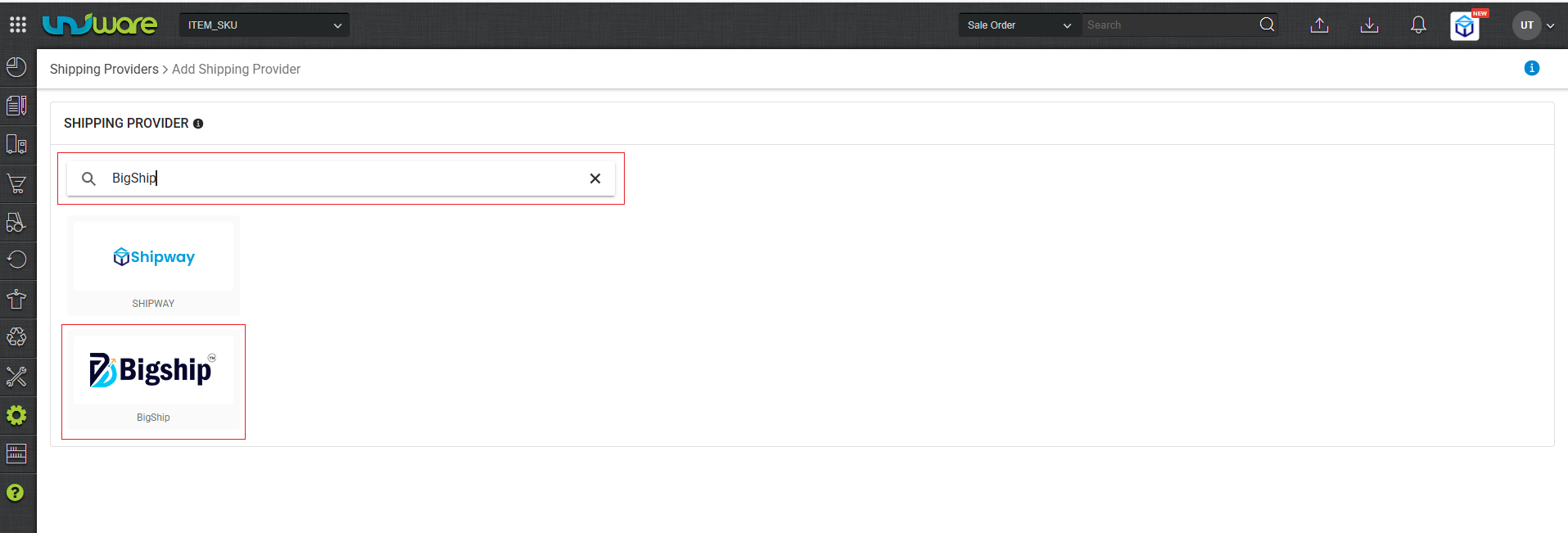
Step-3 : Search and Select BigShip.
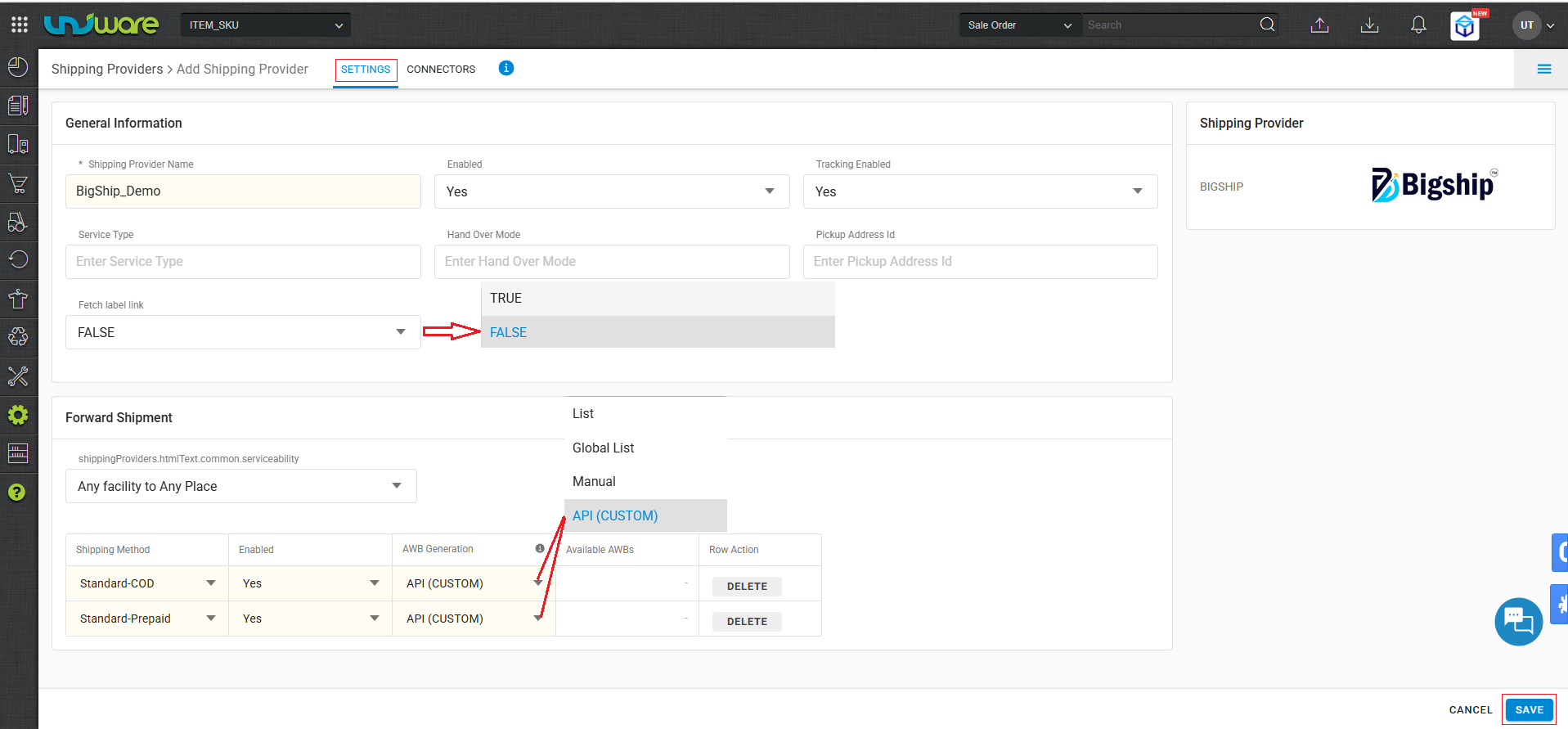
Step-4 : Enter Information and click Save.
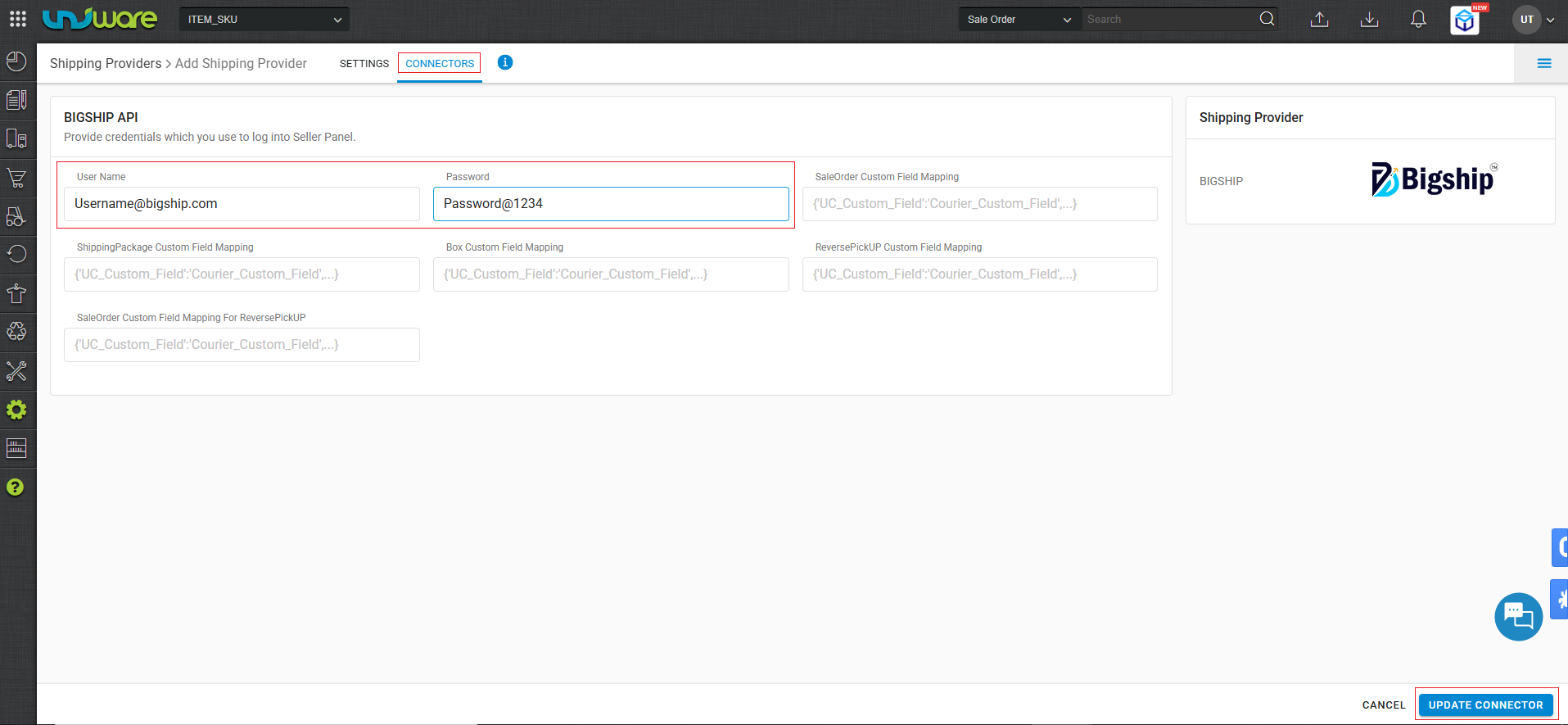
Step-5 : Enter Credential and click UPDATE CONNECTOR.
Integration Touchpoints
The following cases define the operational scope of this integration:
| Aggregator Model | Bigship acts as the aggregator, managing multiple domestic courier partners for India-based logistics. |
| Forward Shipments | The integration currently supports Forward Shipments only. Reverse logistics (Returns/RTO) are not supported at this stage. |
| AWB Tracking | Real-time tracking is enabled. The AWB number is generated in Uniware once the shipment is assigned. |
| Label Generation | Bigship provides shipping labels in PDF format. |
| Field Configurations | Service Type: Leave as `Blank` (or as per Bigship default).
Hand Over Mode: Leave as `Blank` (or as per Bigship default). |
| Shipper Reallocation | If a shipment is cancelled, Bigship allows the seller to reallocate the shipment/Bigship service to another order/process |
Frequently Asked Questions (FAQs)
Q1: Does Bigship support International shipping through Uniware?
A: No, this specific integration is designed for logistics operations within India only.
Q2: Can I process Return (Reverse) pickups through this integration?
A: Currently, the integration supports only Forward Shipments. Returns must be managed manually via the Bigship dashboard or according to separate workflow configurations.
Q3: What should I do if the Service Type or Hand Over Mode fields are required?
A: Integration requirements, these fields are to be kept blank.
Service Type: `Blank`
Hand Over Mode:`Blank`
Q4: Does shipper reallocation work Allow for cancelled shipments?
A: Bigship enables Uniware users to reallocate the shipping service if a cancellation occurs.
Q5: Are the labels customizable within Uniware?
A: No. The integration fetches a pre-generated PDF label directly from Bigship to ensure compliance with carrier requirements.