
Introduction
Flow of the Work
The following table work flow chart illustrates how Clozzet and Uniware exchange data:
|
|
|
|---|---|
|
⇒ Pushed New Orders ⇒ |
|
|
⇐ Pushes Inventory Update ⇐ |
|
|
⇐ Pushes Dispatch Details ⇐ |
|
|
⇒ Syncs Order Status ⇒ (Cancelled, Delivered & Returned) |
|


Key Features & Considerations
-
Order Sync: New orders pushed directly from Clozzet to Uniware.
-
Inventory Update: Uniware pushes real-time inventory updates to Clozzet.
-
Cancellations:
-
Seller-side: Clozzet allows the seller to cancel orders.
-
Customer/Channel-side: Clozzet allow customer or channel-side cancellations.
-
-
Shipping Method: This channel supports Channel-shipping. Tracking details & labels provided by Marketplace.
-
Dispatch Updates: Uniware updates the dispatch details on the Marketplace once hands over done with shipper.
-
Invoicing & Taxes: Channel generates the Invoice code, the Invoice PDF, and all tax details.
-
Status Sync: Clozzet syncs Cancelled, Delivered, and Returned statuses back to Uniware.
Integration Steps
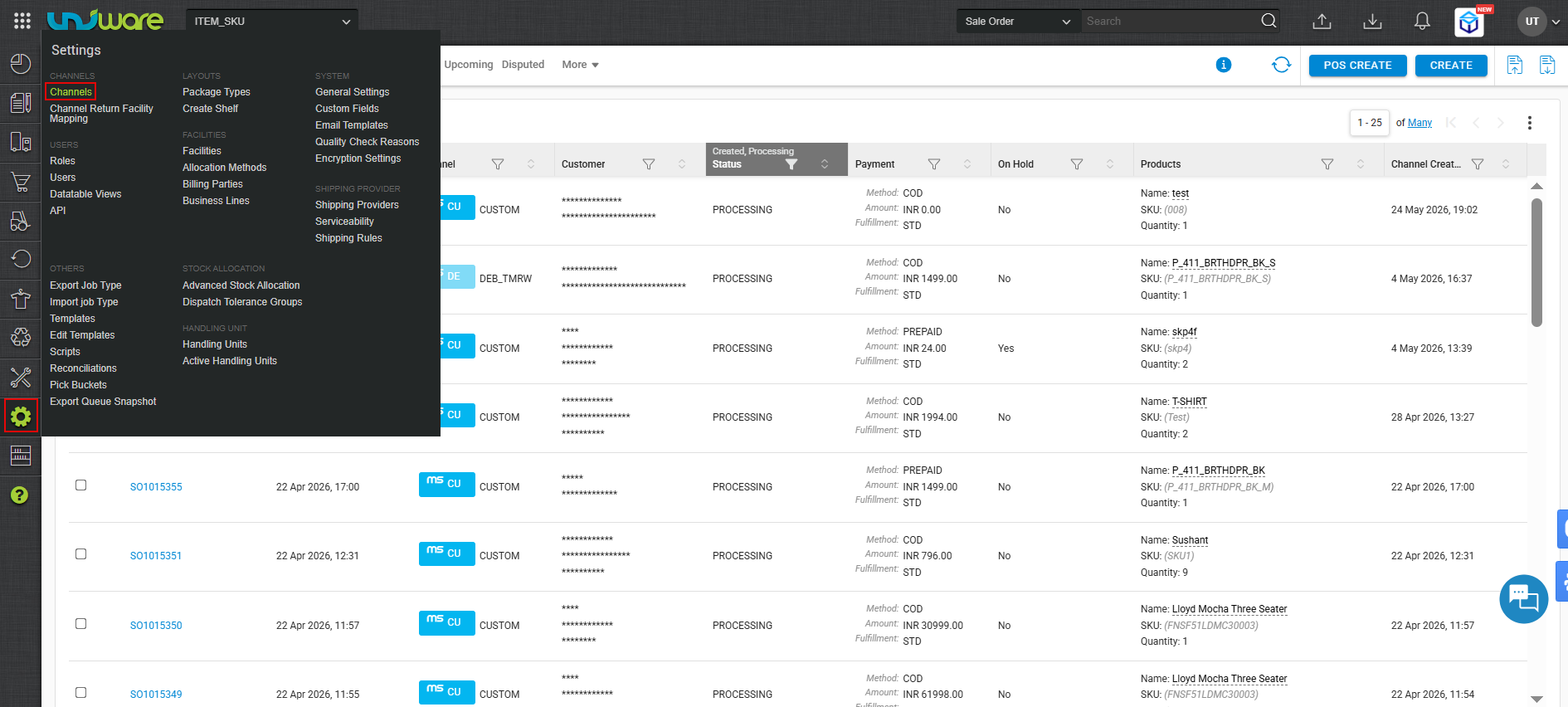
Step-1: Log in Uniware, Hover Settings & Click Channels
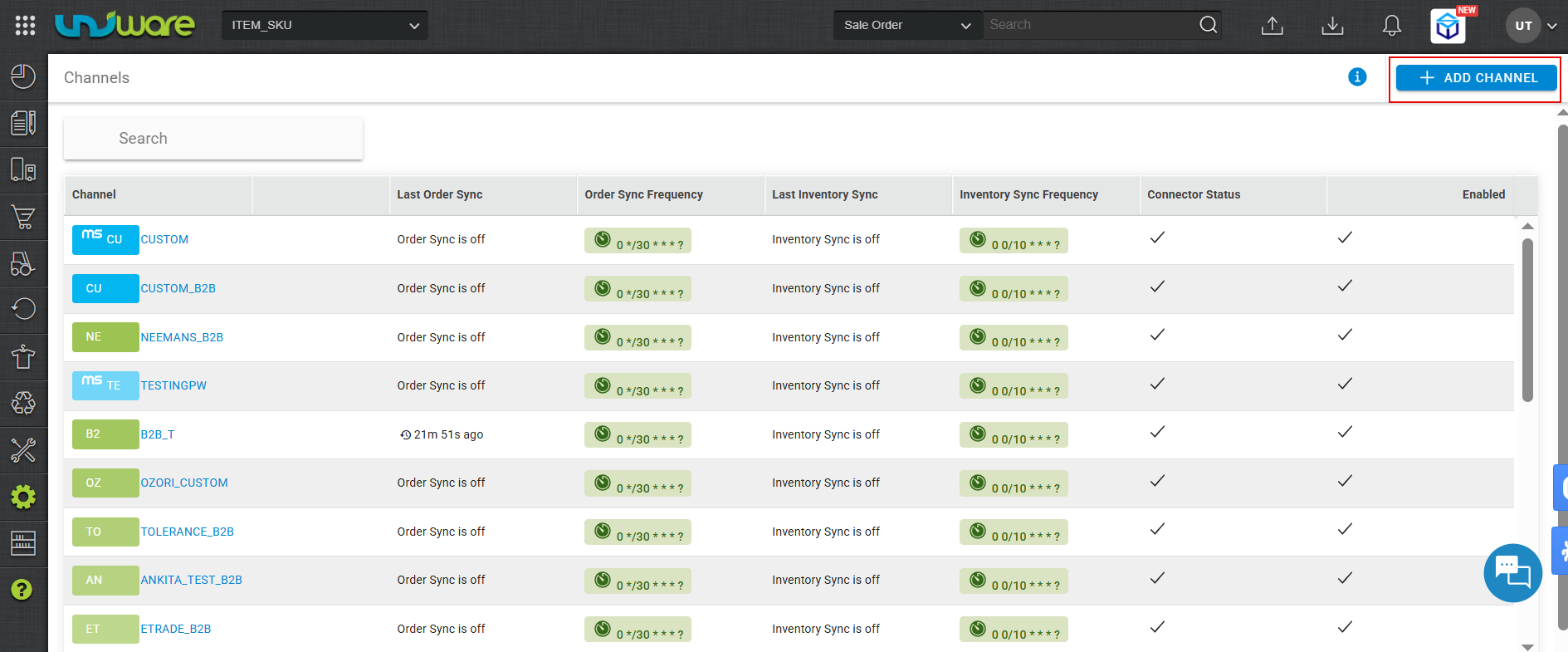
Step-2: Click +ADD CHANNEL
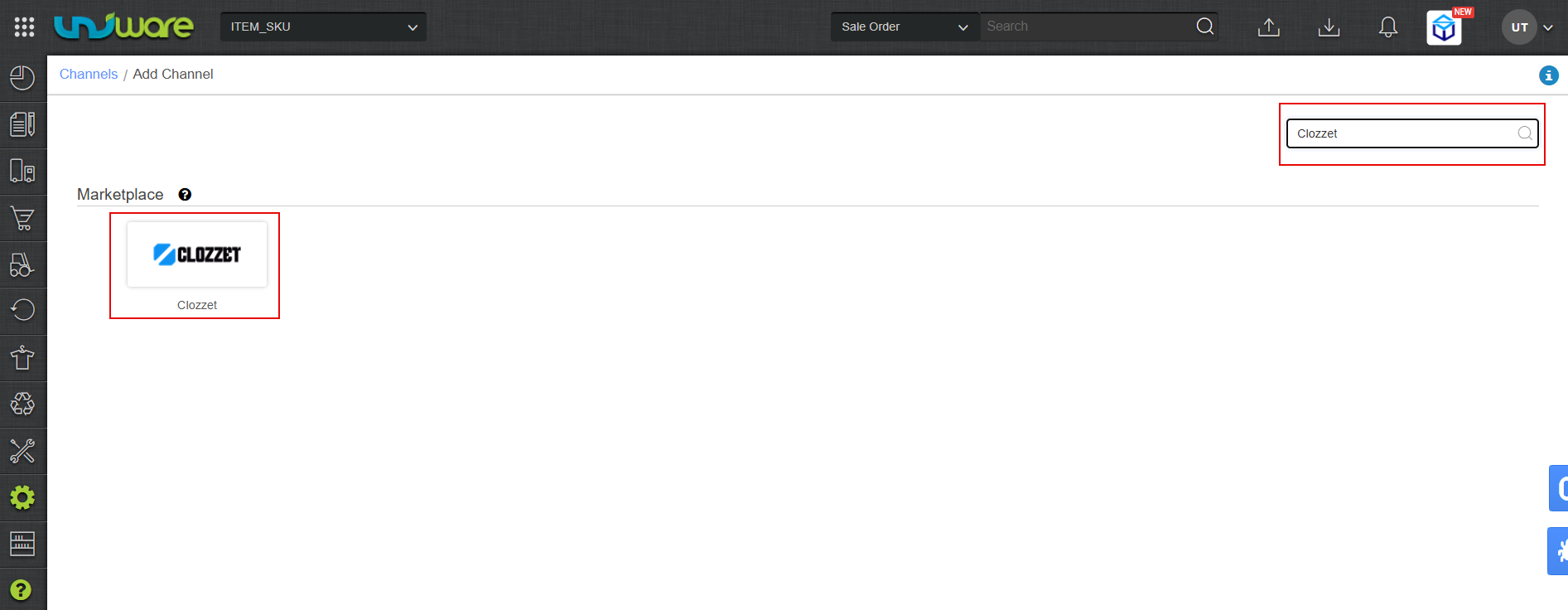
Step-3: In Marketplace, Search & Select Clozzet.
Step-4: Stay on Settings Tab & Fill Required Information.
It is further divide into 3 Substeps Configure the channel settings, follow the below mentioned steps.
| Note: ?- Red Colour Down Arrow indicates to Scroll down. |
- Enter a unique name for the marketplace.
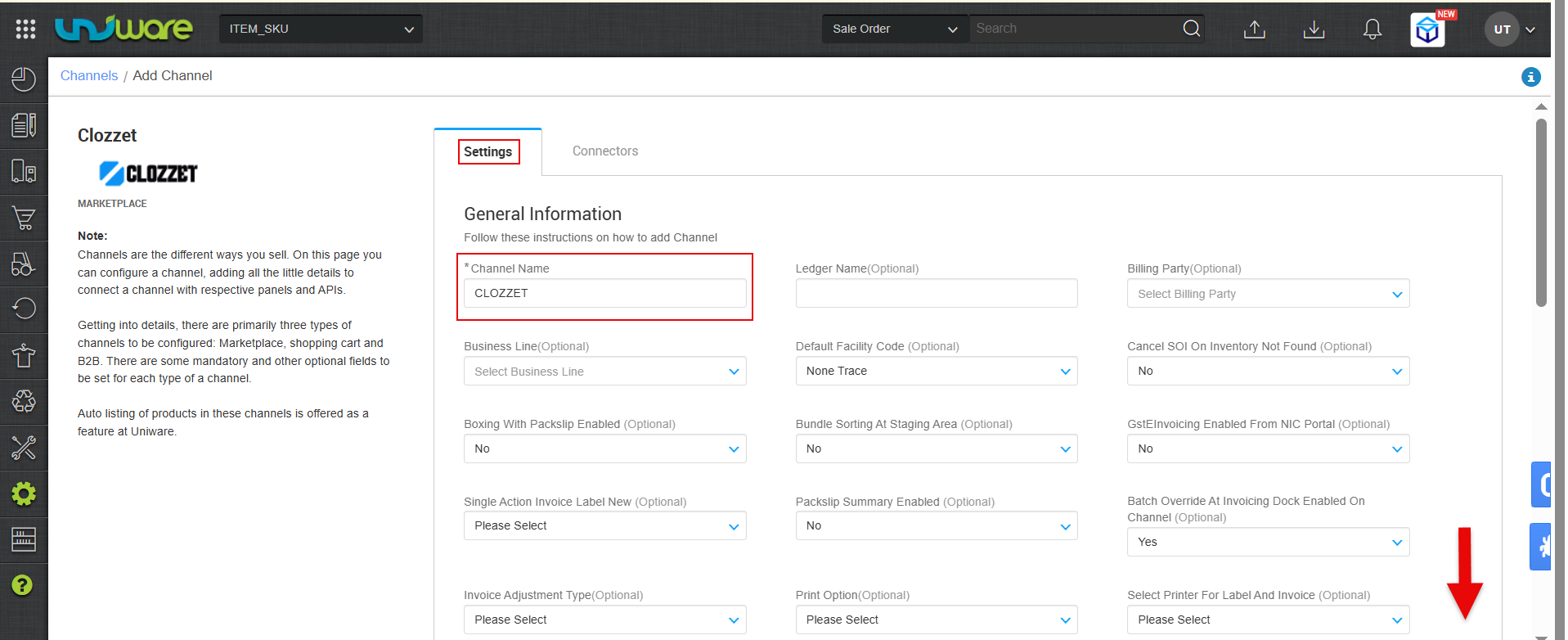
Fig: Enter MarketPlace Channel Name. - Set the Order Sync toggle to ON for Order Sync Enable.
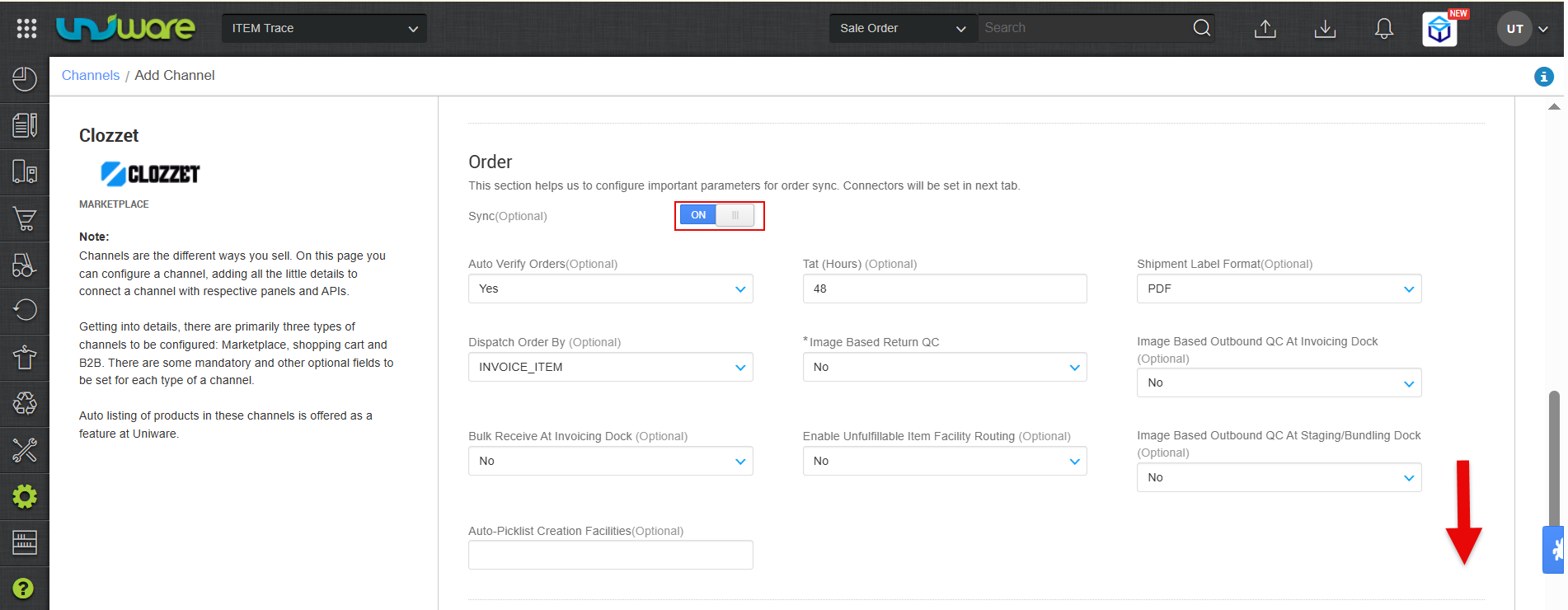
Fig:Turn ON Toggle Button to Order Sync Enable. - Turn ON Toggle Button & Set Facility Wise Inventory as a “Yes” to Inventory Sync Enable and Click Save & Next.
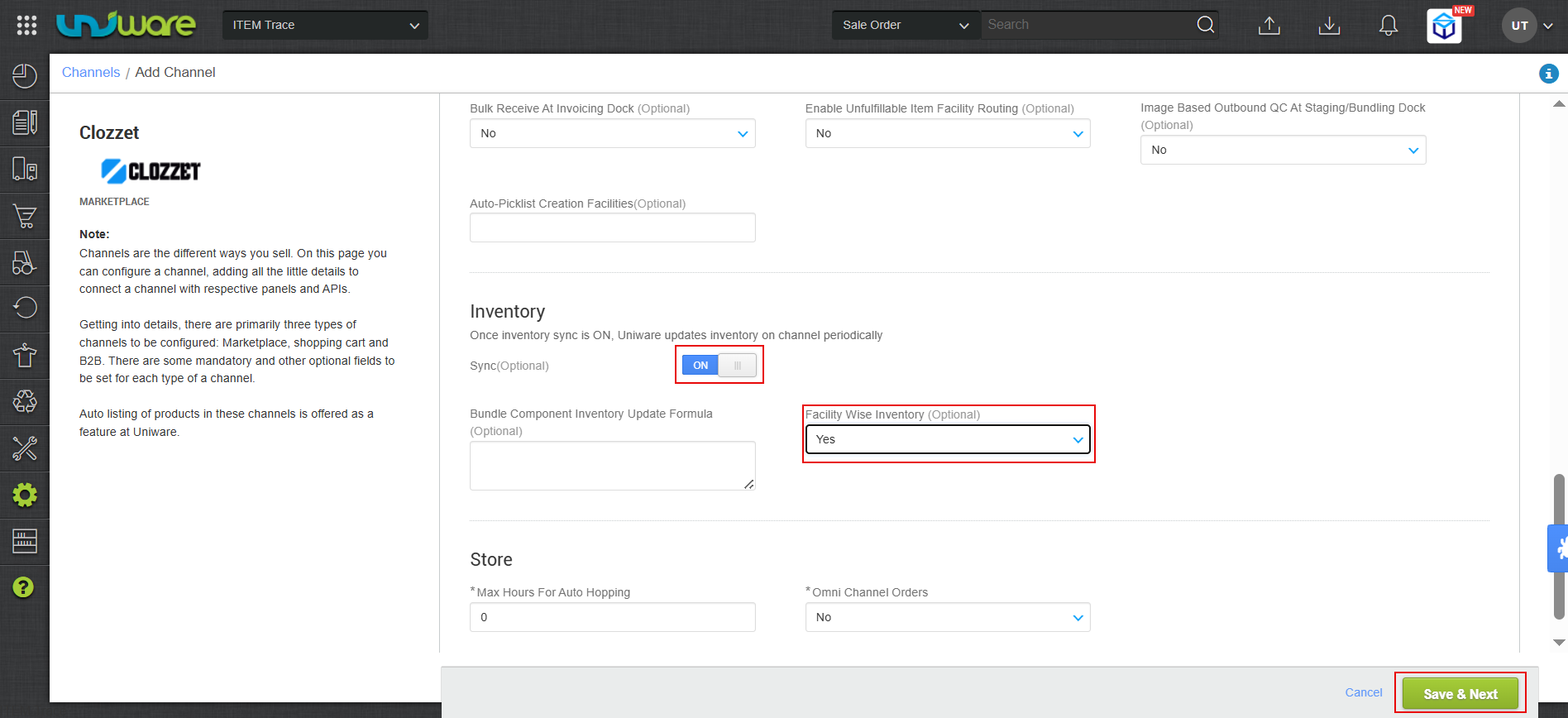
Fig: Turn ON Toggle Button & Select Facility Wise Inventory as a “Yes” to Inventory Sync Enable and Click Save & Next .
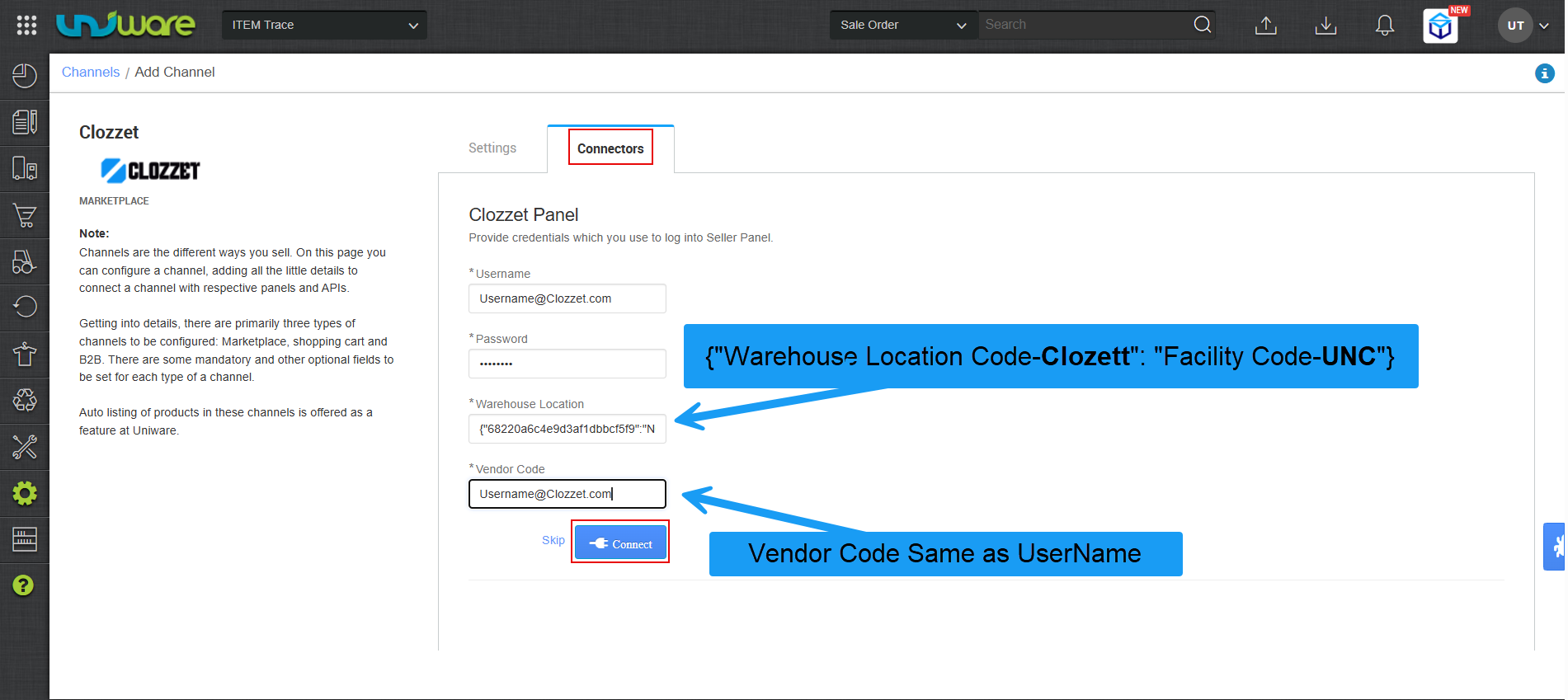
Step-5: Navigate on Connector Tab, Fill Required Information & Click Connect.
| Parameters | Value/Description | ||||
| Username | Provided by Clozzet Team. | ||||
| Password | Provided by Clozzet Team. | ||||
| Warehouse Location | Mapping is performed in Uniware.
eg. {“68220a6c4e9d3af1dbbcf5f9″:”NON-BATCHING-1”} {“clozzet_warehouse_location_id”: “uniware_facility_code”}
|
||||
| Vendor Code | The Vendor Code is identical to the Username. |
Frequently Asked Questions (FAQs)
Q1: How are orders synced from Clozzet to Uniware?
A: Clozzet pushes order to uniware. This means as soon as a new order is placed on the marketplace, it is automatically pushed to Uniware in real-time.
Q2: How does Uniware manage inventory updates on Clozzet?
A: Uniware pushes real-time inventory updates to Clozzet.
Q3: Can I cancel an order from my side?
A: Yes. The integration supports Seller-side cancellations. If you cancel an order through the Clozzet, the status will be updated accordingly.
Q4: What happens if a customer cancels an order on the marketplace?
A: The integration supports Customer/Channel-side cancellations. If a customer or the marketplace cancels an order, Clozzet will automatically sync that status update to Uniware.
Q5: Who is responsible for shipping and generating labels?
A: This channel follows the Channel-shipped model. Clozzet provides the tracking details and shipping labels. You must download and use the labels provided by the marketplace.
Q6: At what stage does Clozzet receive the dispatch update?
A: Uniware updates the dispatch details on Clozzet only after the handover process with the shipper is completed in the system.
Q7: Can I use Uniware to generate invoices for Clozzet orders?
A: No. For this integration, the Channel generates the invoice. This includes the Invoice code, the Invoice PDF, and all applicable tax details.
Q8: Which order statuses are synchronized from Clozzet to Uniware?
A: Uniware automatically syncs the following statuses from Clozzet:
-
Cancelled
-
Delivered
-
Returned