
Integration With CostBo
1. Introduction
Flow of the Work
The following chart illustrates how CostBo and Uniware exchange data:
|
|
|
|
⇒ Pulled New Orders ⇒ |
|
|
⇐ Pushes Inventory Update ⇐ |
|
|
⇐ Pushes Dispatch Details ⇐ |
|
|
⇒ Syncs Order Status ⇒ (Cancelled, Delivered & Returned) |
|


2. How its Works
Follows steps to integrate in Uniware:
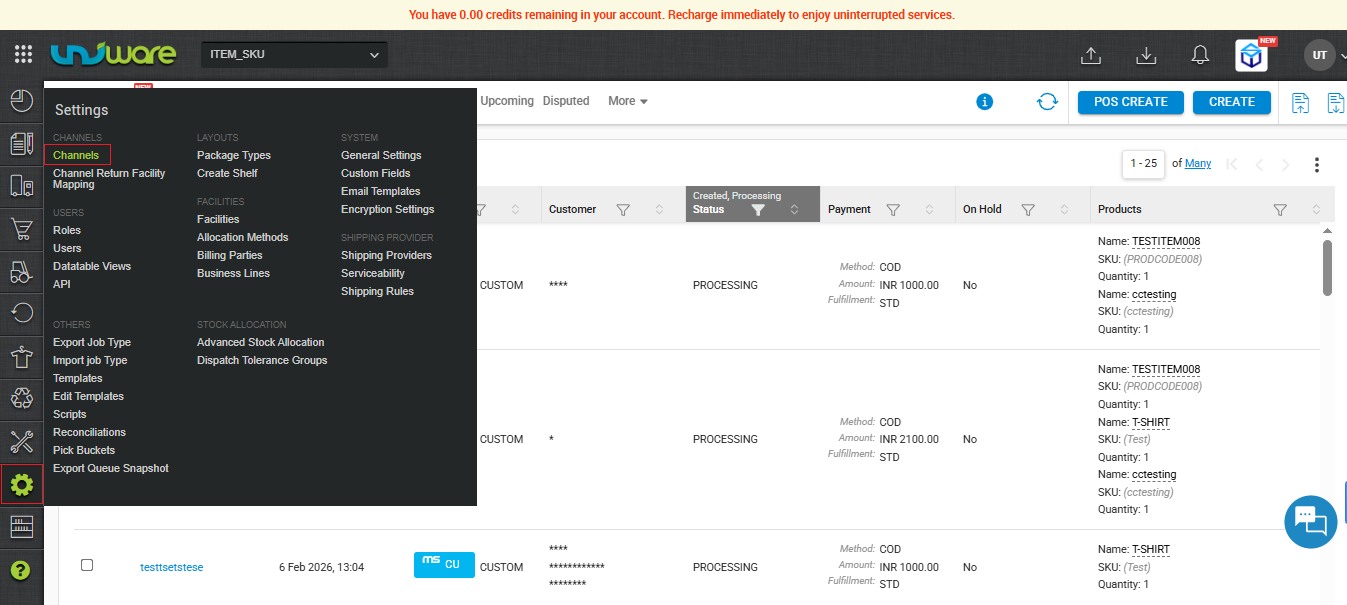
Step – 1 : In the Uniware menu, select Settings > Channels
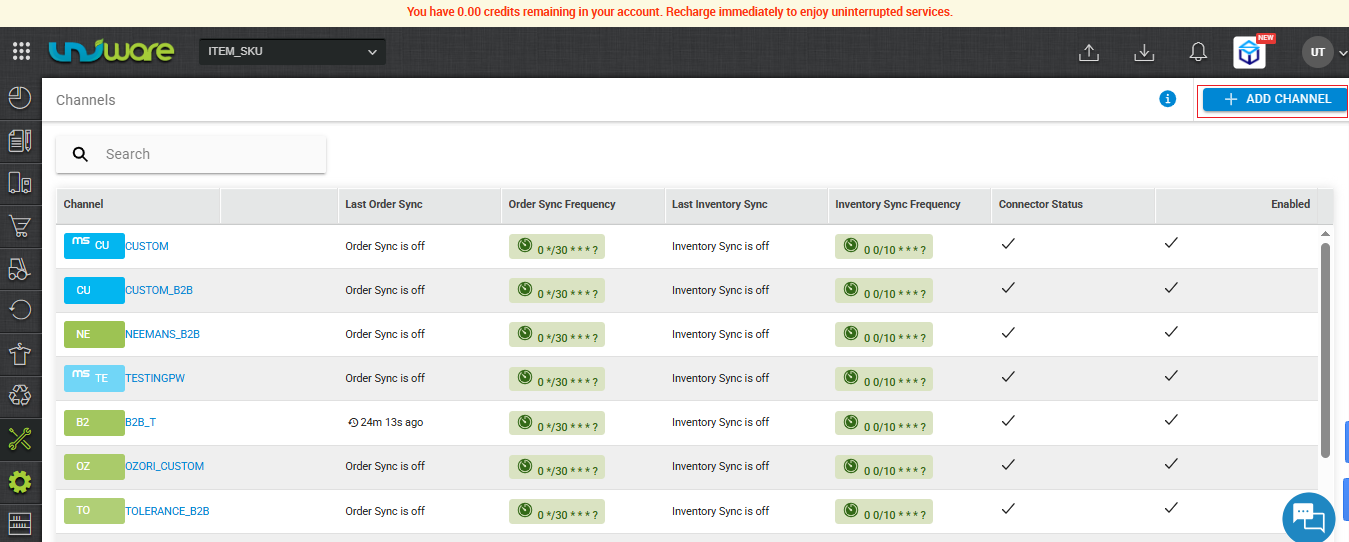
Step – 2 : Click on ADD CHANNEL
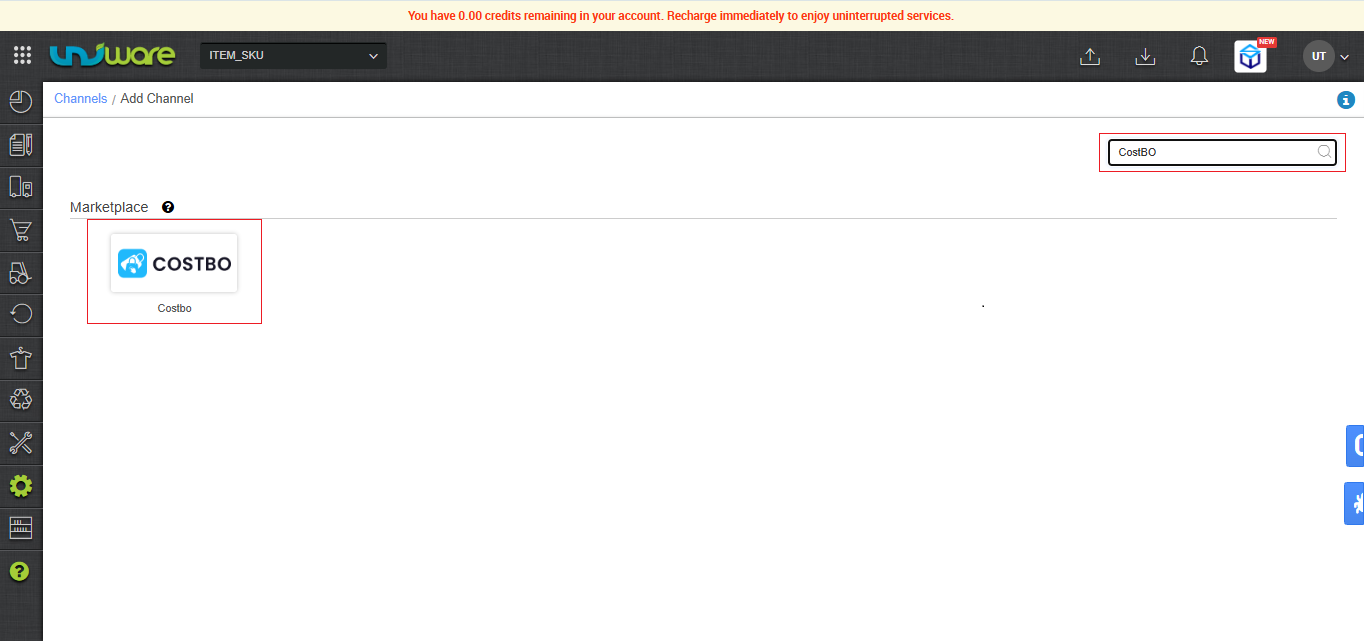
Step – 3 : Search and Select “CostBo”.
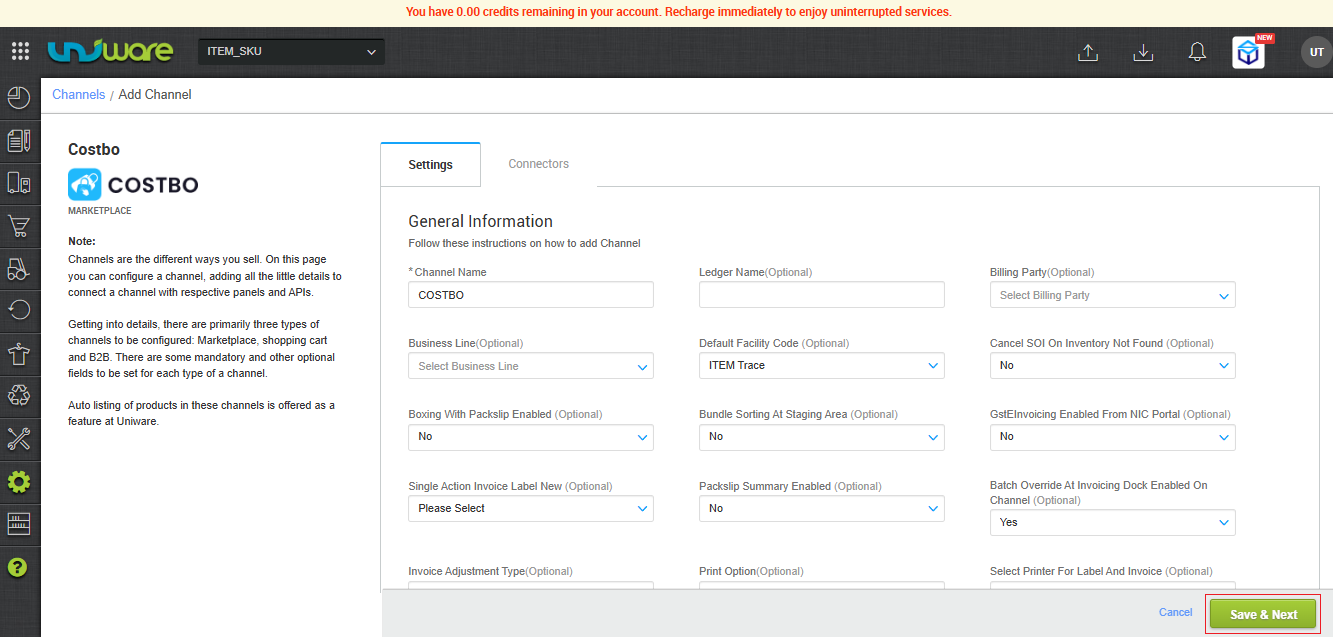
Step – 4 : Fill Required Information and click on Save & Next.
Step-5 : Fill Credential , Warehouse Location & Click on Connect

Must obtain your integration credentials directly from the CostBo channel team. Enter these details on the connectors page when adding the channel in Uniware.
| Parameter | Value/ Description |
| Username |
will be provided by the CostBo team for every seller.
|
| Password |
will be provided by the CostBo team for every seller.
|
| Warehouse Location | To sync storewise orders of CostBo in Uniware, This field is need to update by the seller with a json map of facilities.e.g.
In case of multiple store ids, you can add multi mapping under this json field with the respective Uniware warehouse code.
So that all CostBo orders sync in the desired warehouse if they are using order processing from multiple warehouses. Along with, Channel config “Facility Wise Inventory‘ as Yes.
|

| Note : As soon as the channel is configured successfully, you can see the Channel Summary and You can trigger the respective sync processes from this page itself. For more details Click here |
|---|
3. Important Points
-
Order Sync: Uniware pulled new orders directly from CostBo/Marketplace.
-
Inventory Update: Uniware pushes real-time inventory updates to CostBo/Marketplace.
-
Cancellations:
-
Seller-side: CostBo allows the seller to cancel orders.
-
-
-
Customer/Channel-side: CostBo allows customer or channel-side cancellations.
-
| Note : Must ensure only full order get cancelled from seller & Customer / Channel Side . Partial order cancellations will be introduced in future updates. |
|---|
-
Shipping Method: This channel supports Channel-shipping. CostBo provides the tracking details (AWB no.) and generates the shipping labels for these orders.
-
Dispatch Updates: Uniware updates the dispatch details on the Marketplace once the seller hands over the package to the shipper.
-
Invoicing & Taxes: CostBo generates the Invoice code, the Invoice PDF, and all associated tax details.
-
Status Sync: CostBo syncs Cancelled, Delivered, and Returned statuses back to Uniware.
4. Frequently Asked Questions (FAQs)
Q1. How do Uniware and CostBo synchronize orders and inventory?
Ans: Uniware actively pulls new orders directly from CostBo and pushes real-time inventory updates back to the marketplace.
Q2. Does the integration support order cancellations?
Ans: Yes. Cancellations are supported from both the customer and seller sides. However, please ensure that only full orders are cancelled, as partial cancellations are not currently supported.
Q3. Which shipping model does the CostBo integration support?
Ans: CostBo channel exclusively supports Channel Shipping. It provides the AWB tracking numbers and generates the shipping labels.
Q4. Who generates the invoices for CostBo orders?
Ans: CostBo generates the invoice code, the invoice PDF, and provides all associated tax details.
Q5. When does CostBo receive dispatch updates?
Ans: Uniware pushes the dispatch details to the CostBo marketplace as soon as the seller marks the package as handed over to the shipper.
Q6. How does the system track the final shipment statuses?
Ans: CostBo automatically syncs the Cancelled, Delivered, and Returned statuses back to Uniware.