
Libay : MP Integration
1. Introduction
Flow of the Work
The following table work flow chart illustrates how Libay and Uniware exchange data:
|
|
|
|---|---|
|
⇒ Pulled New Orders ⇒ |
|
|
⇐ Pushes Inventory Update ⇐ |
|
|
⇐ Pushes Dispatch Details ⇐ |
|
|
⇒ Syncs Order Status ⇒ (Cancelled, Delivered & Returned) |
|


2. How its Works
Follows steps to integrate in Uniware:
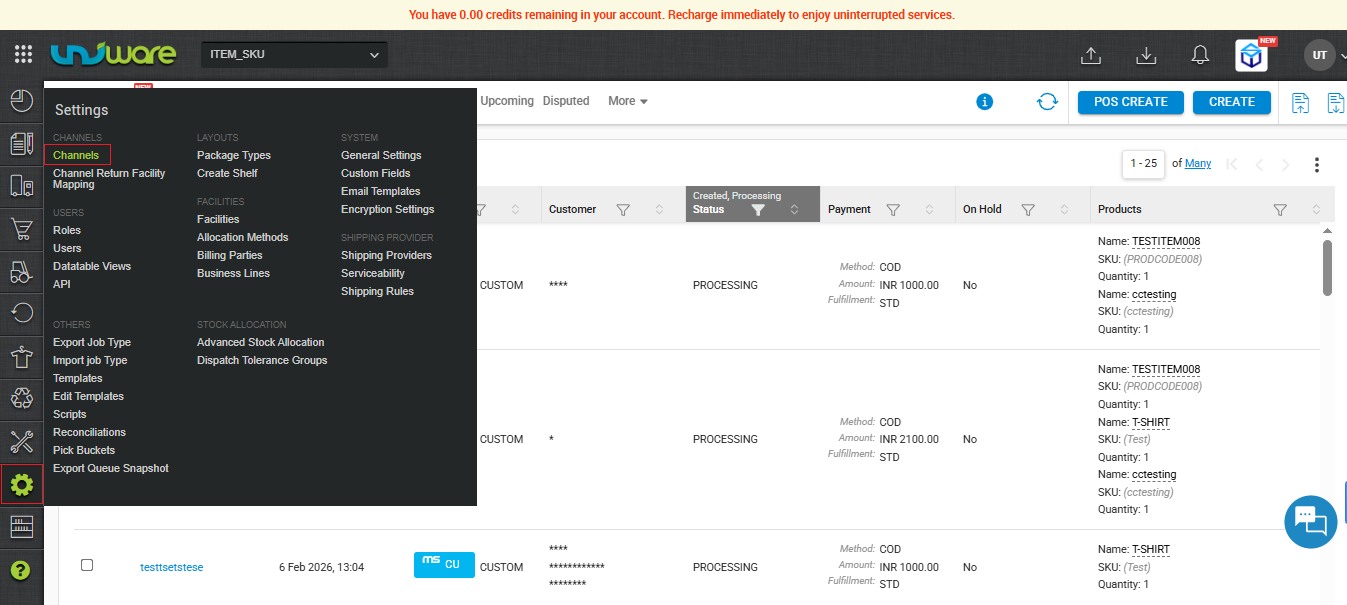
Step – 1 : In the Uniware menu, select Settings > Channels
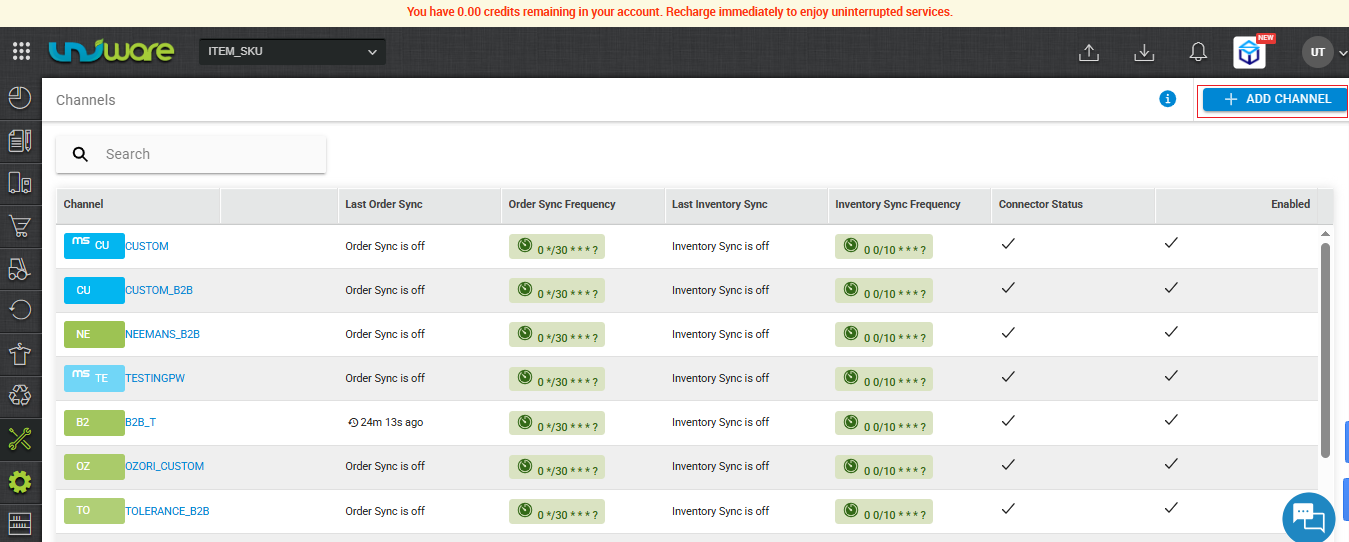
Step – 2 : Click on ADD CHANNEL
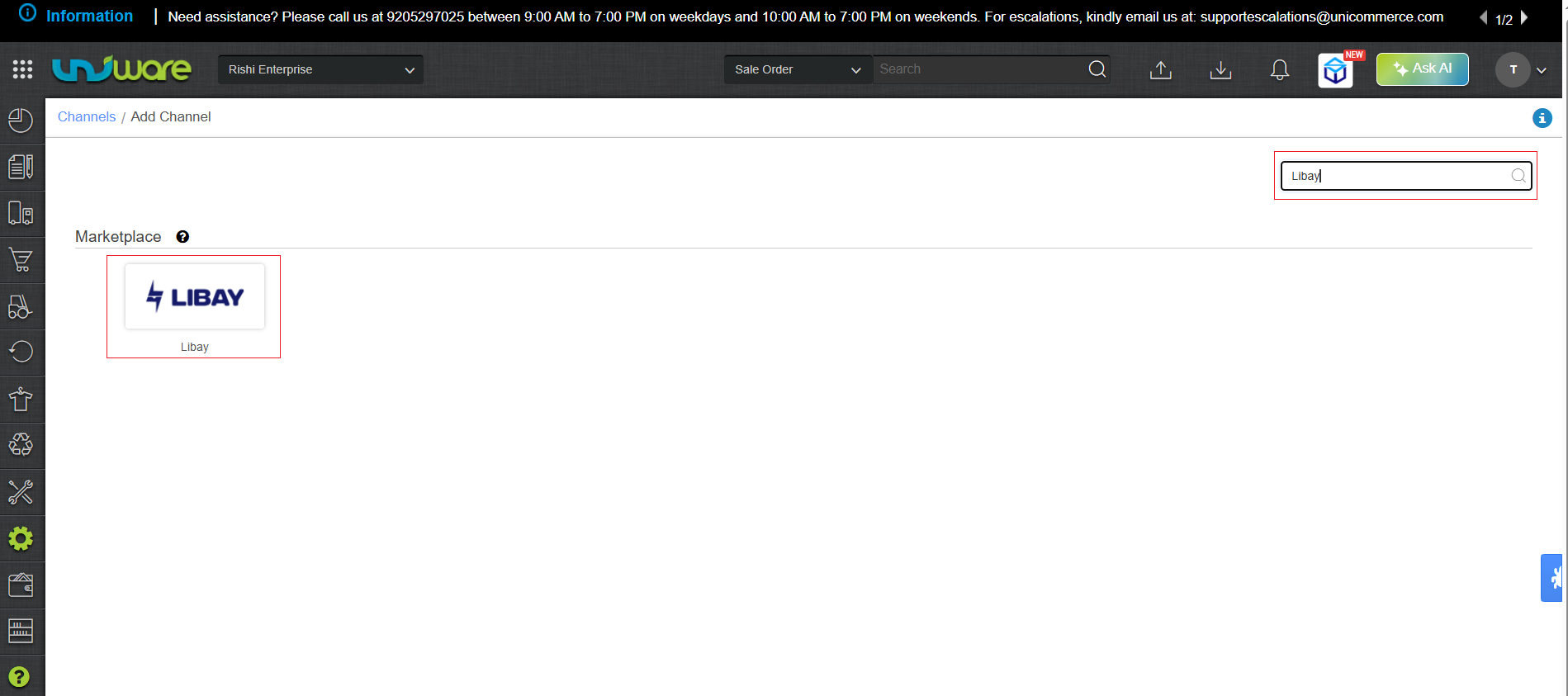
Step – 3 : Search and Select “Libay”.
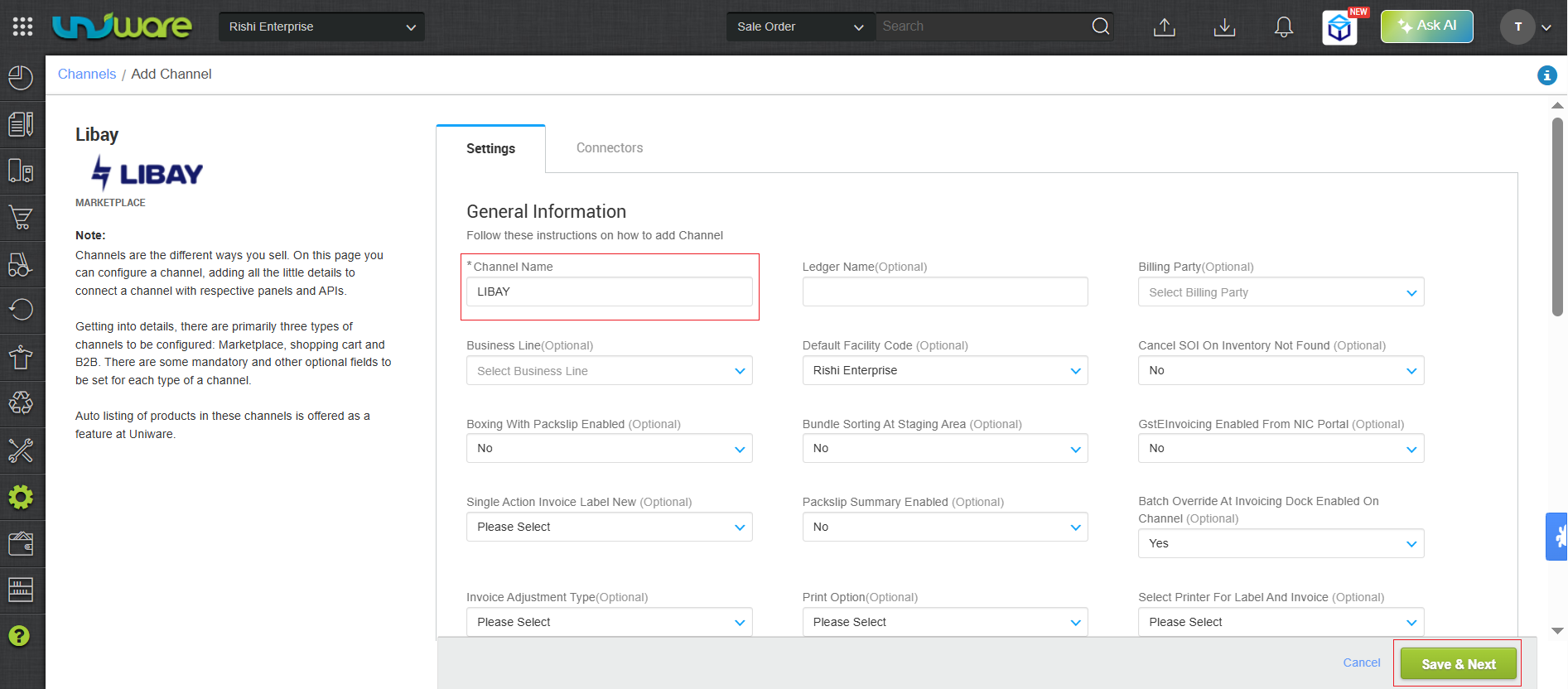
Step – 4 : Fill Required Information and click on Save & Next.
Step-5 : Navigate to Connector Tab, Fill Provided Credentials & Click Connect
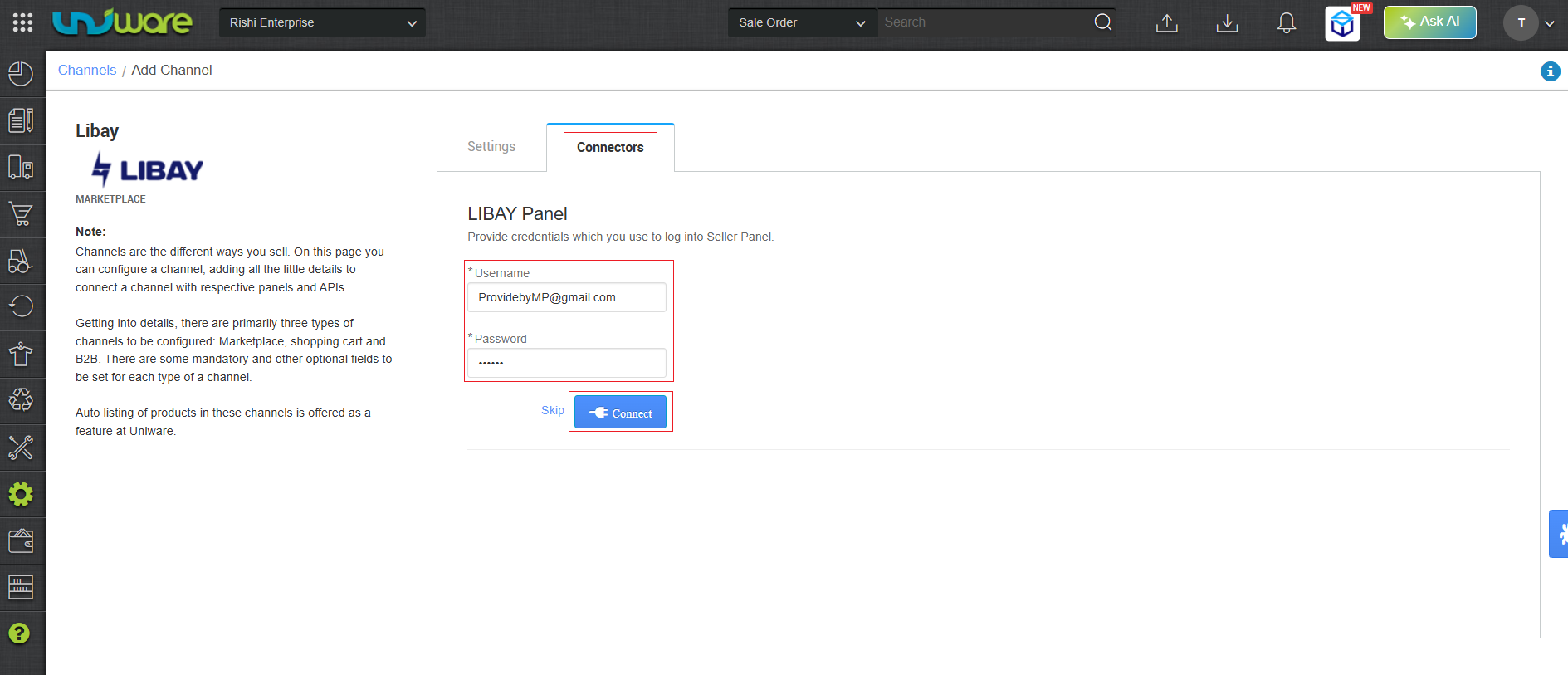
Must obtain your integration credentials directly from the Libay channel team. Enter these details on the connectors page when adding the channel in Uniware.
| Parameter | Value/ Description |
| Username |
will be provided by the Libay team for every seller.
|
| Password |
will be provided by the Libay team for every seller.
|
3. Important Points
-
Order Sync: New orders pulled directly from Libay/Marketplace to Uniware.
-
Inventory Update: Uniware pushes real-time inventory updates to Libay/Marketplace.
-
Cancellations:
-
Seller-side: Libay allows the seller to cancel orders.
-
Customer/Channel-side: Libay allow customer or channel-side cancellations.
-
-
Shipping Method: This channel supports Channel-shipping. Tracking details & labels provided by Channel / Marketplace.
-
Dispatch Updates: Uniware updates the dispatch details on the Marketplace once hands over done with shipper.
-
Invoicing & Taxes: Uniware generates the Invoice code, the Invoice PDF, and all tax details.
-
Status Sync: Libay syncs Cancelled, Delivered, and Returned statuses back to Uniware.
4. Frequently Asked Questions (FAQs)
Q1. How do Uniware and Libay synchronize orders and inventory?
Ans: Libay pulled new orders directly to Uniware. Conversely, Uniware pushes real-time inventory updates back to Libay.
Q2. Does the integration support order cancellations?
Ans: Yes, It allows from both the side. Libay allows the seller to cancel orders, as well as it allows customer-side or channel-side cancellations.
Q3. Which shipping model does the Libay integration support?
Ans: This channel exclusively supports Channel-shipping. The shipping and tracking details & generates the shipping labels handled by the marketplace.
Q4. Who generates the invoices for Libay orders?
Ans: Uniware generates the invoice code, the invoice PDF, and all associated tax details.
Q5. When does Libay receive dispatch updates?
Ans: Uniware updates the dispatch details on the Libay marketplace as soon handover done with the shipper.
Q6. How does the system track the final shipment status (Delivered/Returned)?
Ans: Libay syncs the final order statuses—specifically Cancelled, Delivered, and Returned— back to Uniware.