
Introduction
ShipMaxx 2.0 is a logistics shipping and order management platform & helping sellers automate shipping operations, track shipments, manage returns across India.
Purpose
Unicommerce integrates with ShipMaxx 2.0 to help sellers automate tracking shipments based on AWB, both forward & reverse shipment, sellers able to reallocate it for reverse shipments.
Key Features
- Smart Tracking : The system automates AWB tracking for both forward and reverse shipments.
- Bi-Directional Shipment : Shipmaxx 2.0 Supports both forwards & reverse directional shipment.
- Label Generation : Shipmaxx 2.0 generates and provides the PDF shipping labels for Forward shipment.
- Shipper Reallocation : Shipmaxx 2.0 enables sellers to reallocate on cancelled shipments.
How to Configure Shipmaxx 2.0 in Uniware
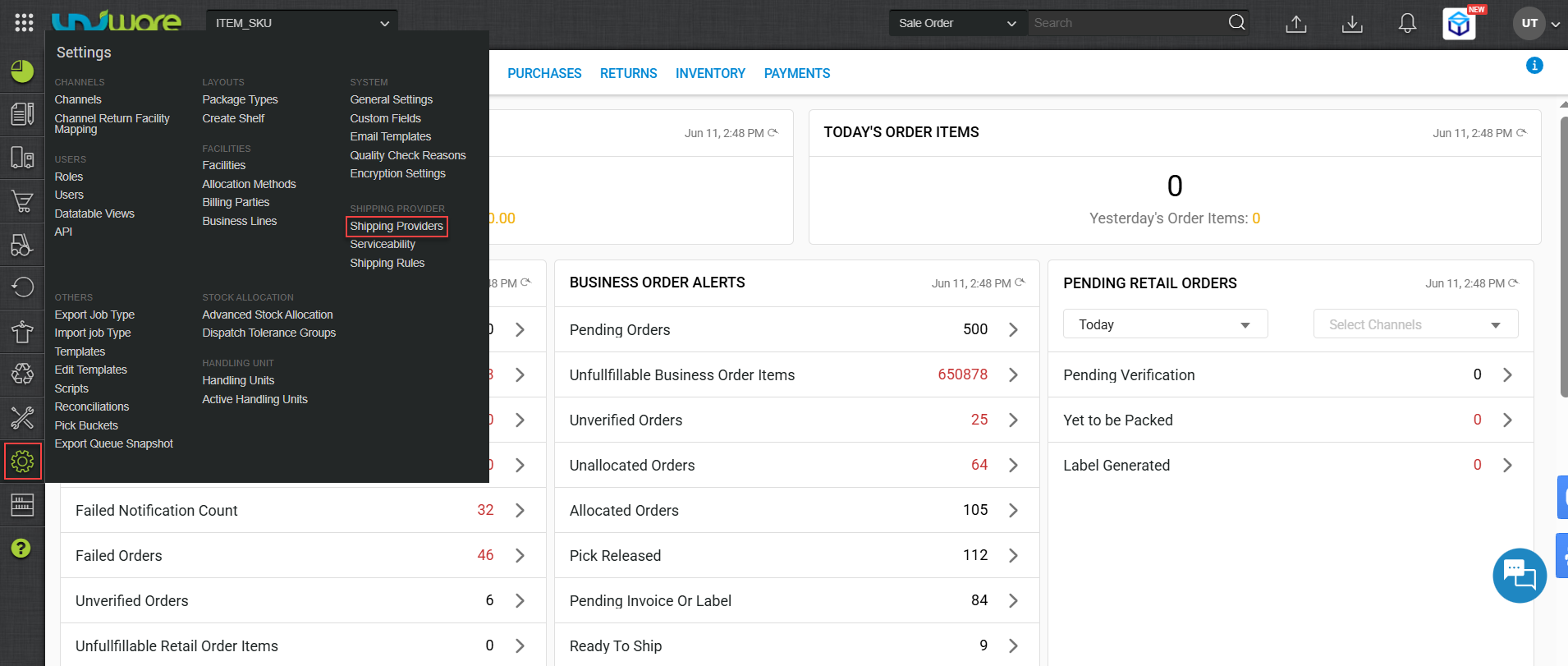
Step-1 : Login Uniware, Hover Settings & Click Shipping Provider
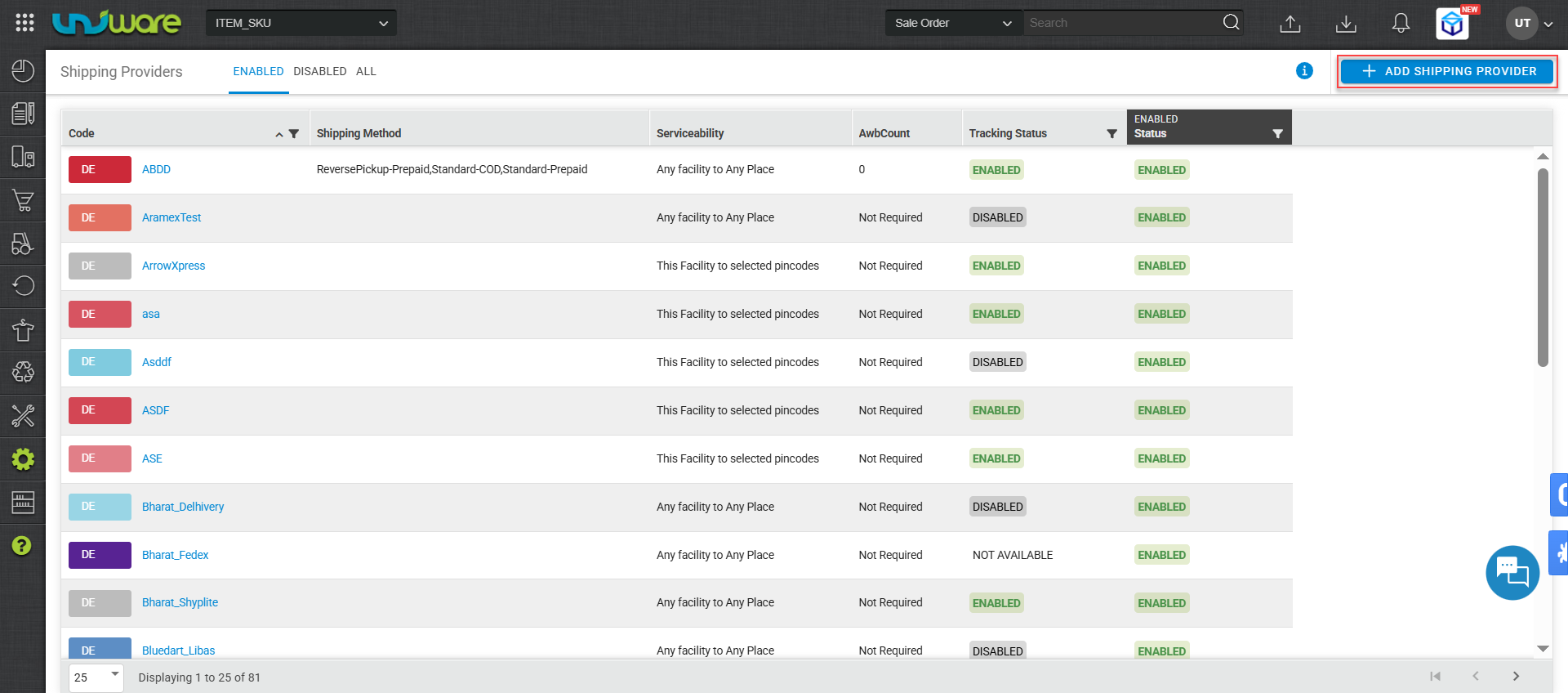
Step-2: Click Add Shipping Provider.
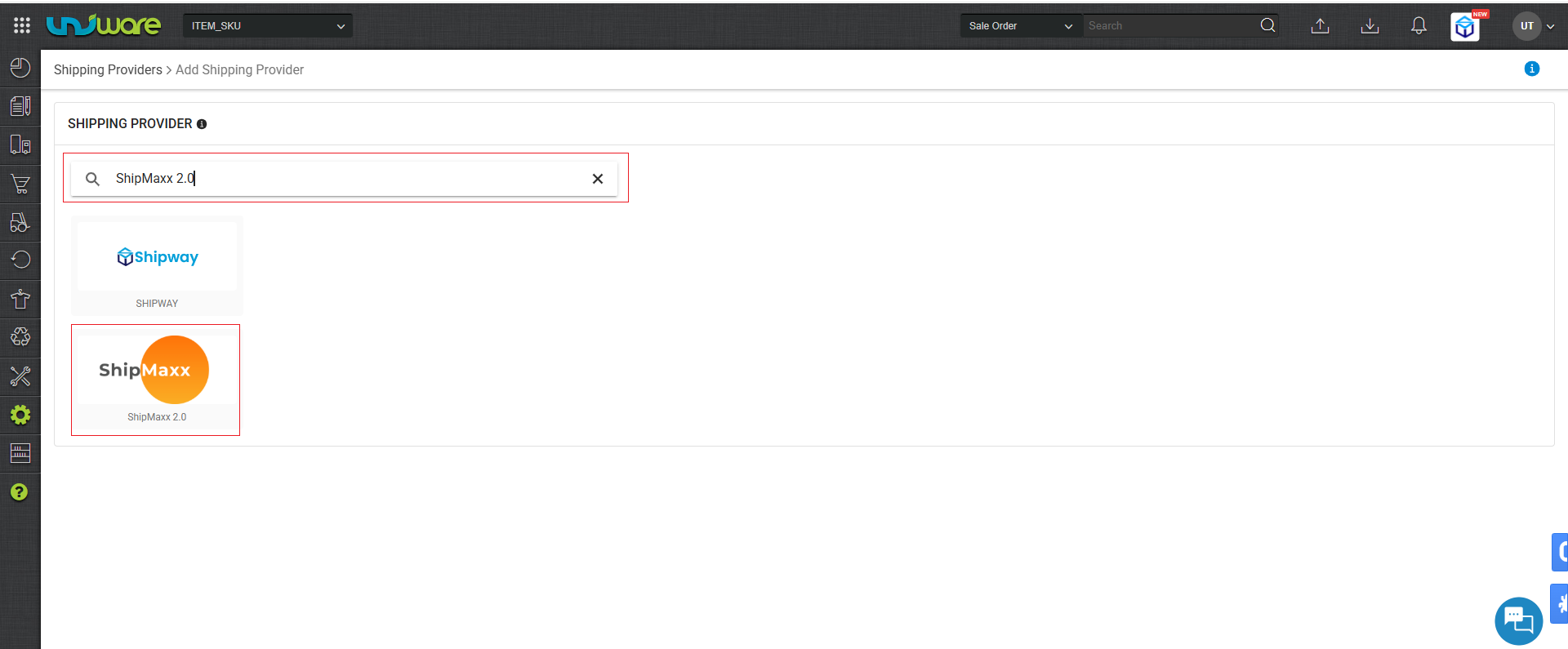
Step-3: Search & Select Shipmaxx 2.0
Step-4 : Navigate Settings Window, Enter Information & Click Save.
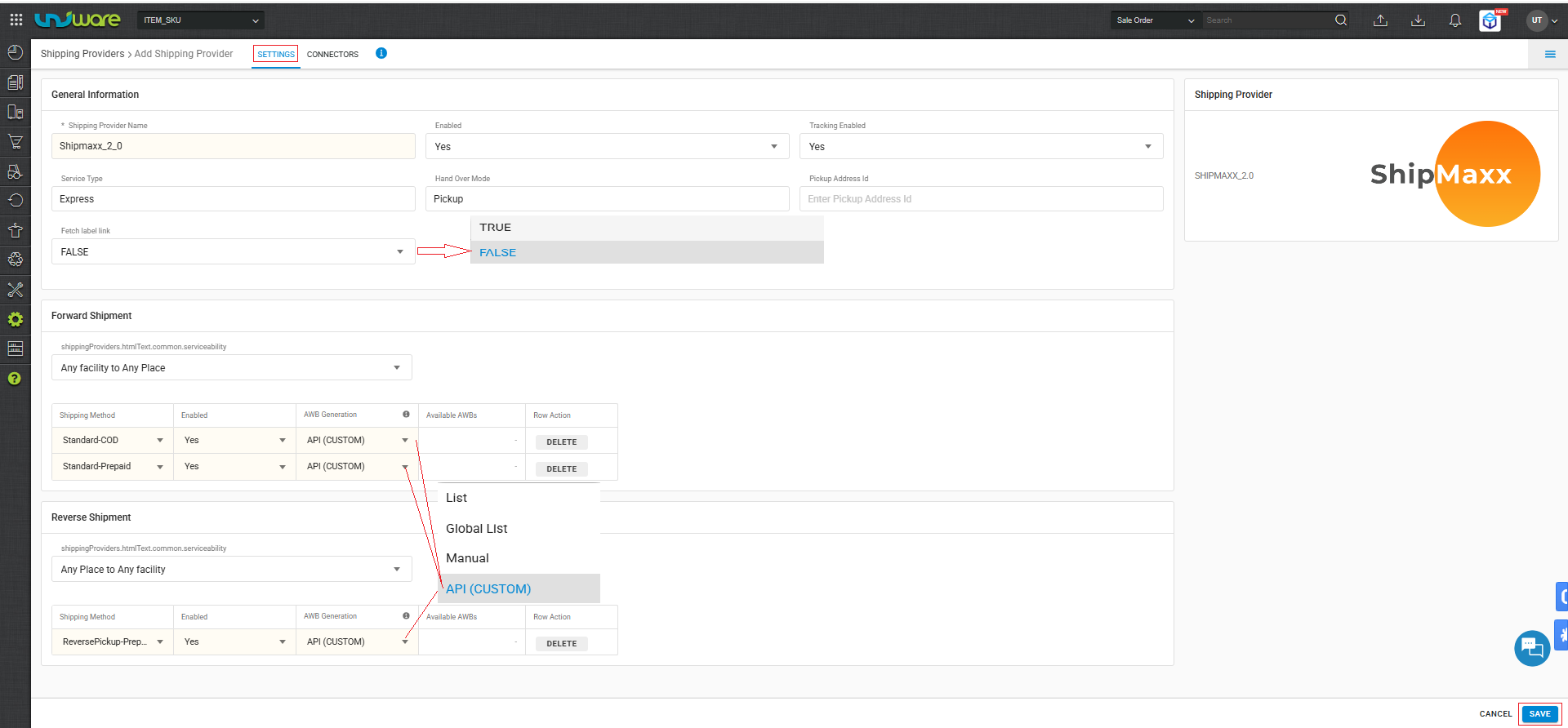
| Fields | Parameters |
| Service Type | Express |
| Handover Mode | Pickup |
Service Type : Surface_sdd_ndd
sdd– Same Day Delivery, ndd– Next Day Delivery
| Note : Must ensure ‘Fetch label link’ set to False. |
| True : Forward Shipping label generates by Unicommerce. |
| False : Forward Shipping label generates by ShipMaxx 2.0. |
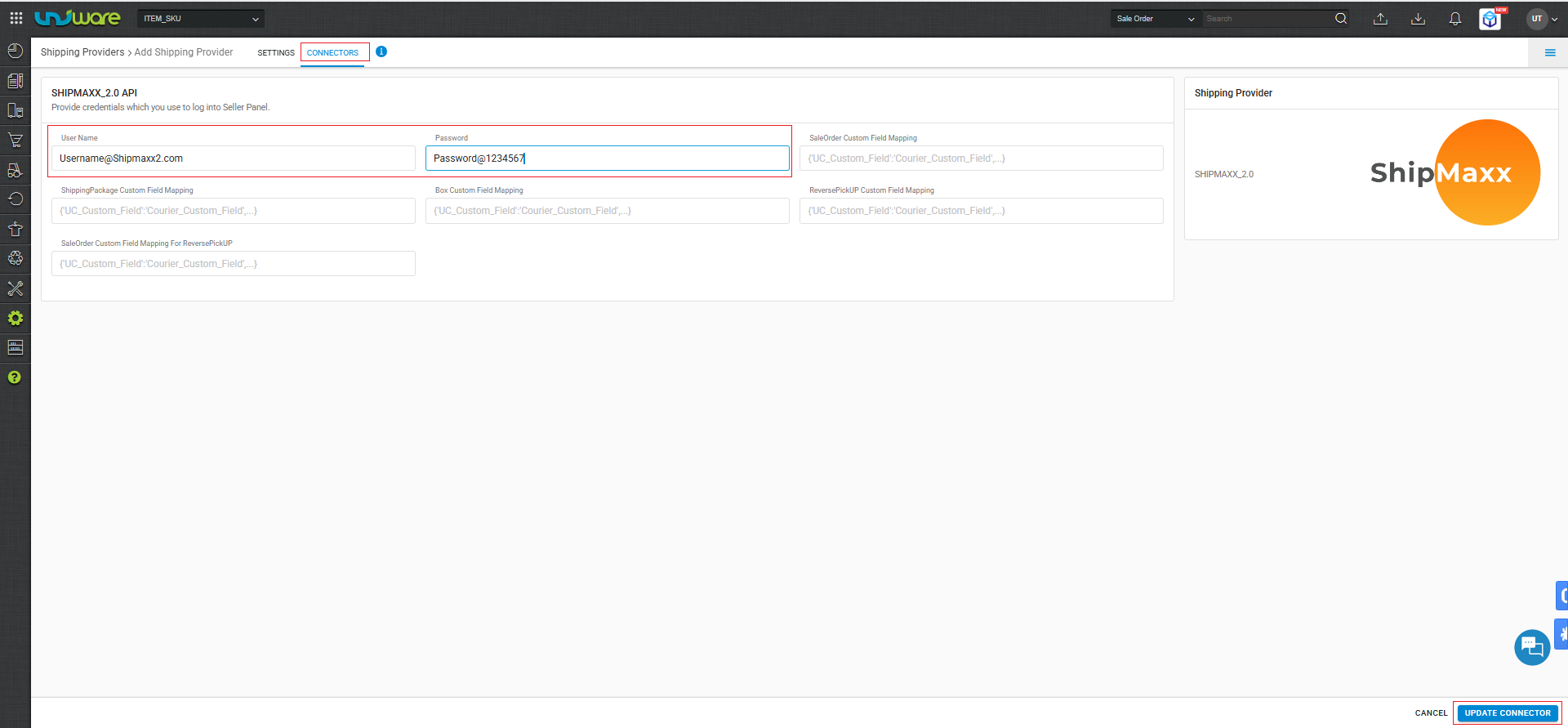
Step-5: Navigate to Connector Window, Enter Credential & Click Update Connector
Frequently Asked Questions (FAQ’s)
Q1. Which Shipment Method does Shipmaxx 2.0 support ?
A. Shipmaxx 2.0 supports both forward & Reverse Shipment method.
Q2. Does Shipmaxx 2.0 provide the shipping label ?
A. Yes, Shipmaxx 2.0 generates and provides the PDF label, but only for forward shipments.
Q3. What specific parameter values must sellers configure for Shipmaxx 2.0 ?
A. Shipmaxx 2.0 restricts certain fields to specific keywords. To avoid integration errors, use the following exact values.
| Fields | Parameters |
| Service Type | Express |
| Handover Mode | Pickup |
Q4. Can sellers reallocate a shipper if an order is cancelled ?
A. Yes, Shipmaxx 2.0 enable sellers to reallocate cancelled shipments.