
Introduction
BoxD Logistics is a logistic aggregation platform used to provide seamless shipping solution across India.
Unicommerce integrates with BoxD Logistics to help sellers automated tracking shipments based on AWB, order management support, both forward & reverse shipment & sellers can reallocate it for reverse shipments.
Key Features
- AWB Tracking : The system automates AWB tracking for both forward and reverse shipments.
- Bi-Directional Shipment : BoxD Logistics Supports both forwards & reverse shipment.
- Label Generation : BoxD Logistics generates and provides the PDF shipping labels for forward shipment.
- Shipper Reallocation: BoxD Logistics allows sellers to reallocate the shipper for cancelled shipments.
Configure BoxD Logistics in Uniware
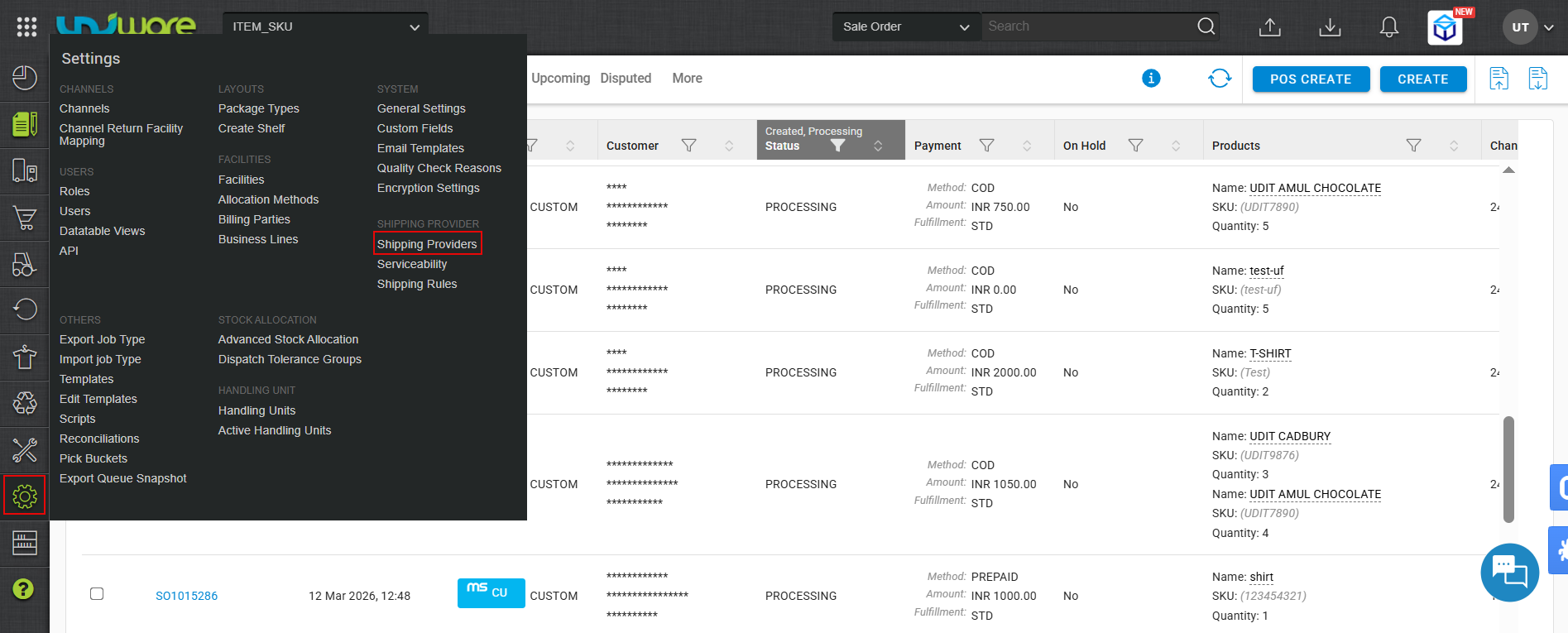
Step-1 : Open Shipping Providers.
- Log in to Uniware.
- Hover over Settings.
- Click Shipping Providers
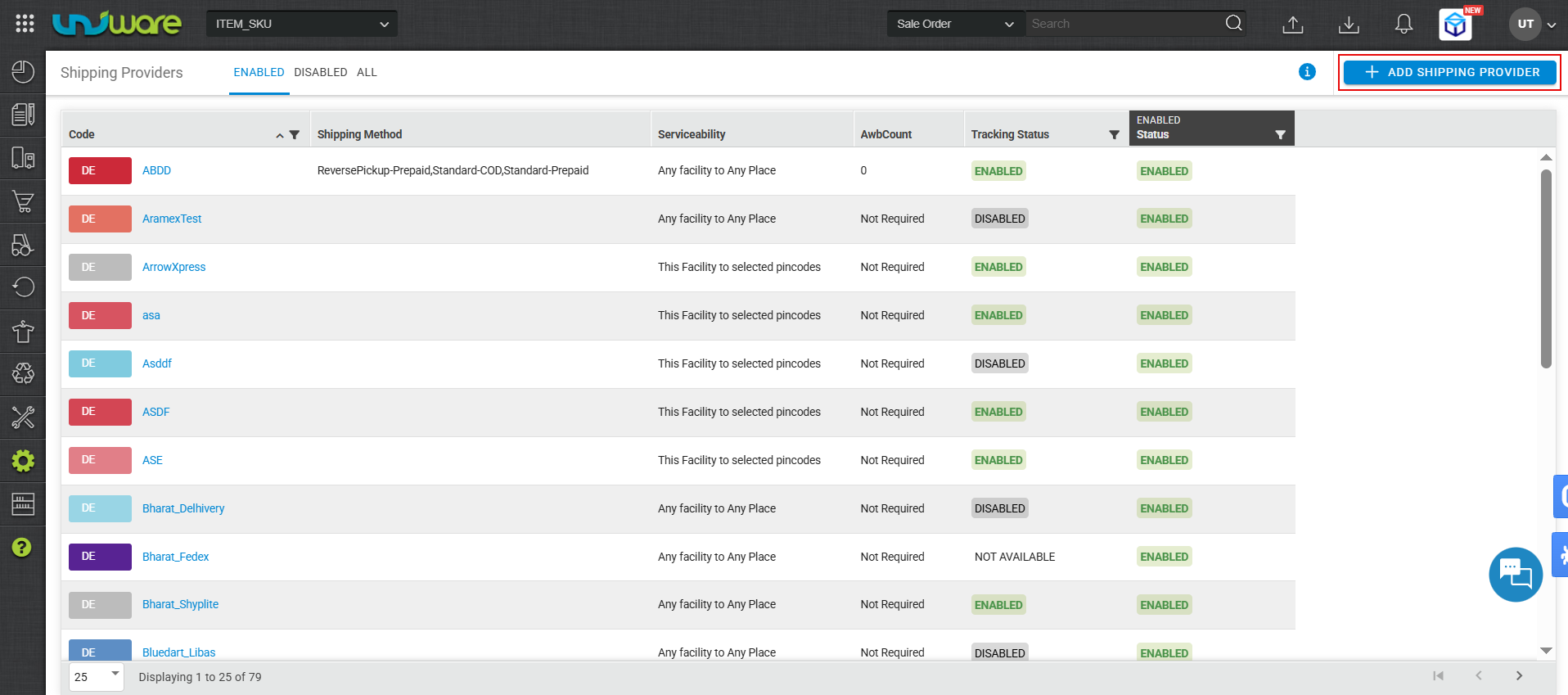
Step-2 : Click Add Shipping Provider Button
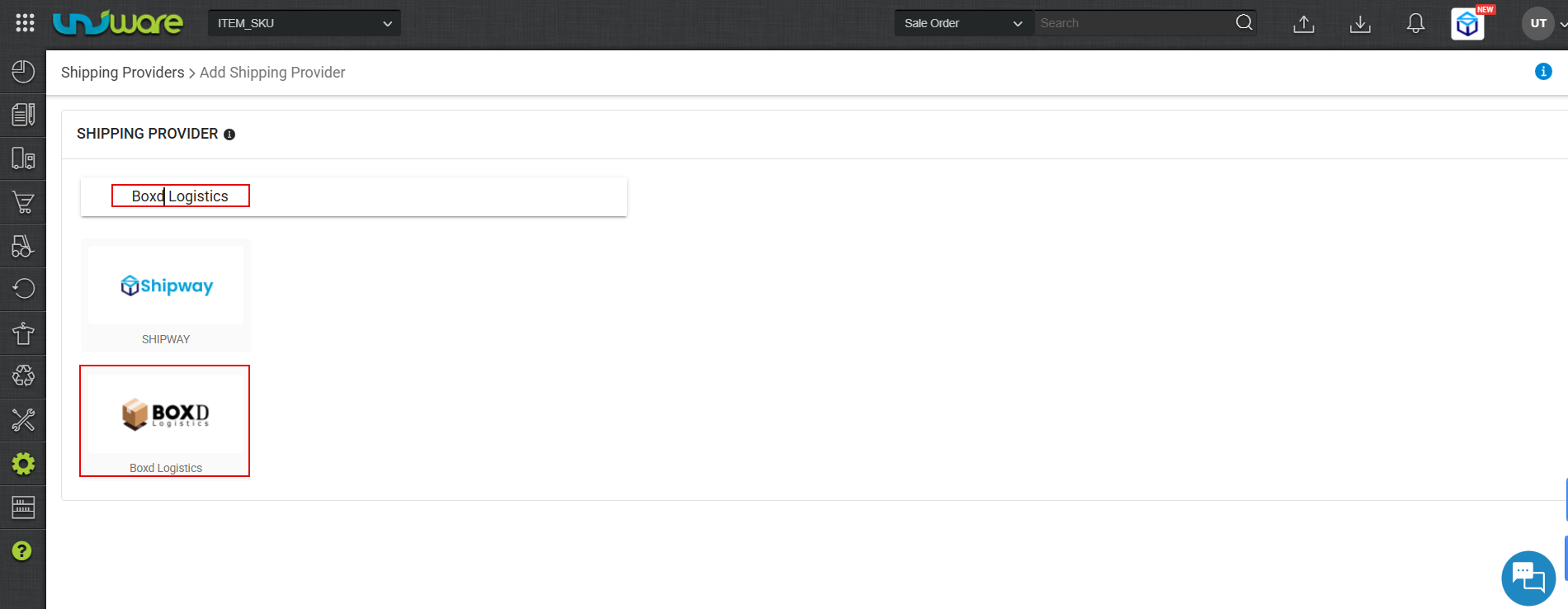
Step-3 : Search & Select Boxd Logistics
Step-4 : Enter Provider’s Details & Click Save
- Enter the required information.
- Click Save.
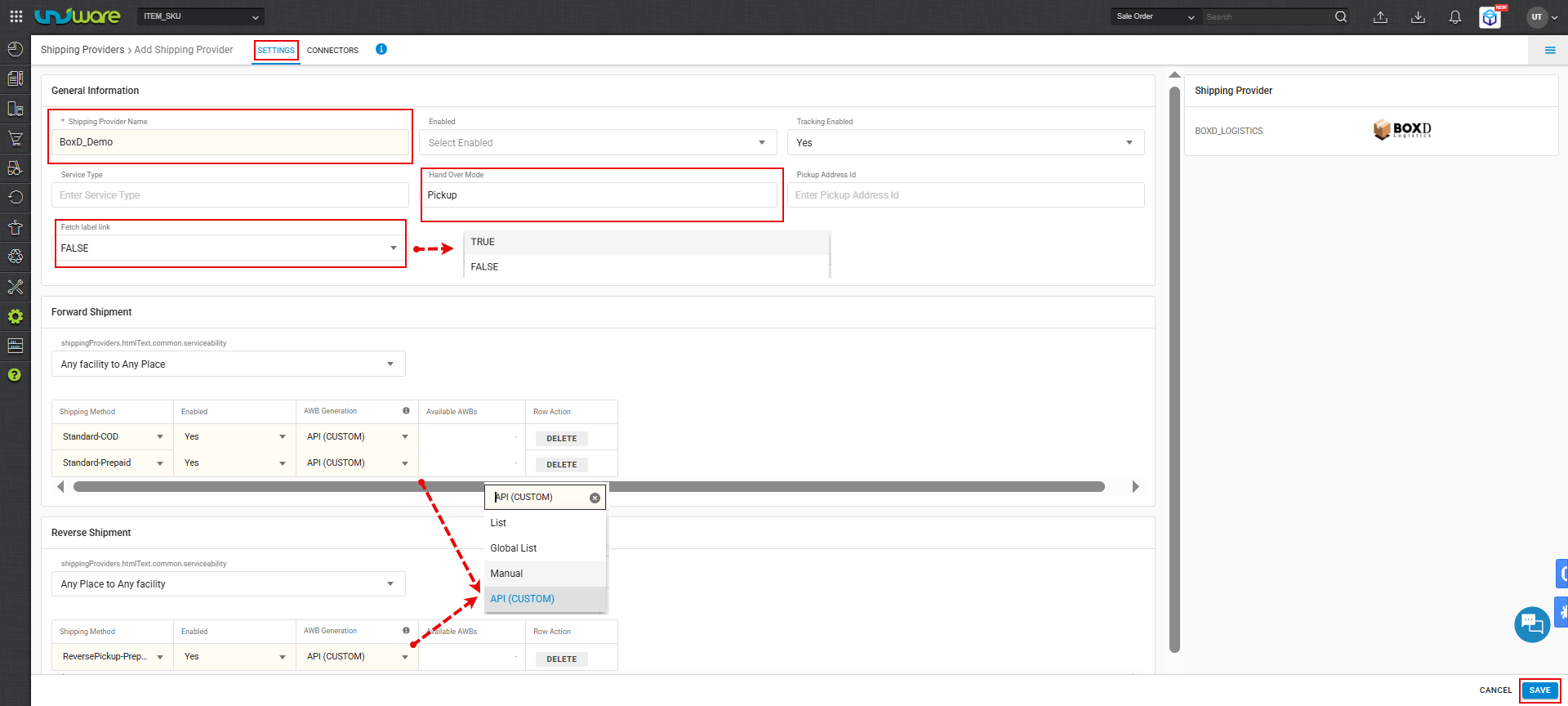
| Important: Set Fetch Label Link to False. |
| True : Forward Shipping label generates by Unicommerce. |
| False : Forward Shipping label generates by BoxD Logistics. |
Step-5 : Configure the Connector.
- Navigate to the Connector tab.
- Enter the required credentials.
- Click Update Connector.
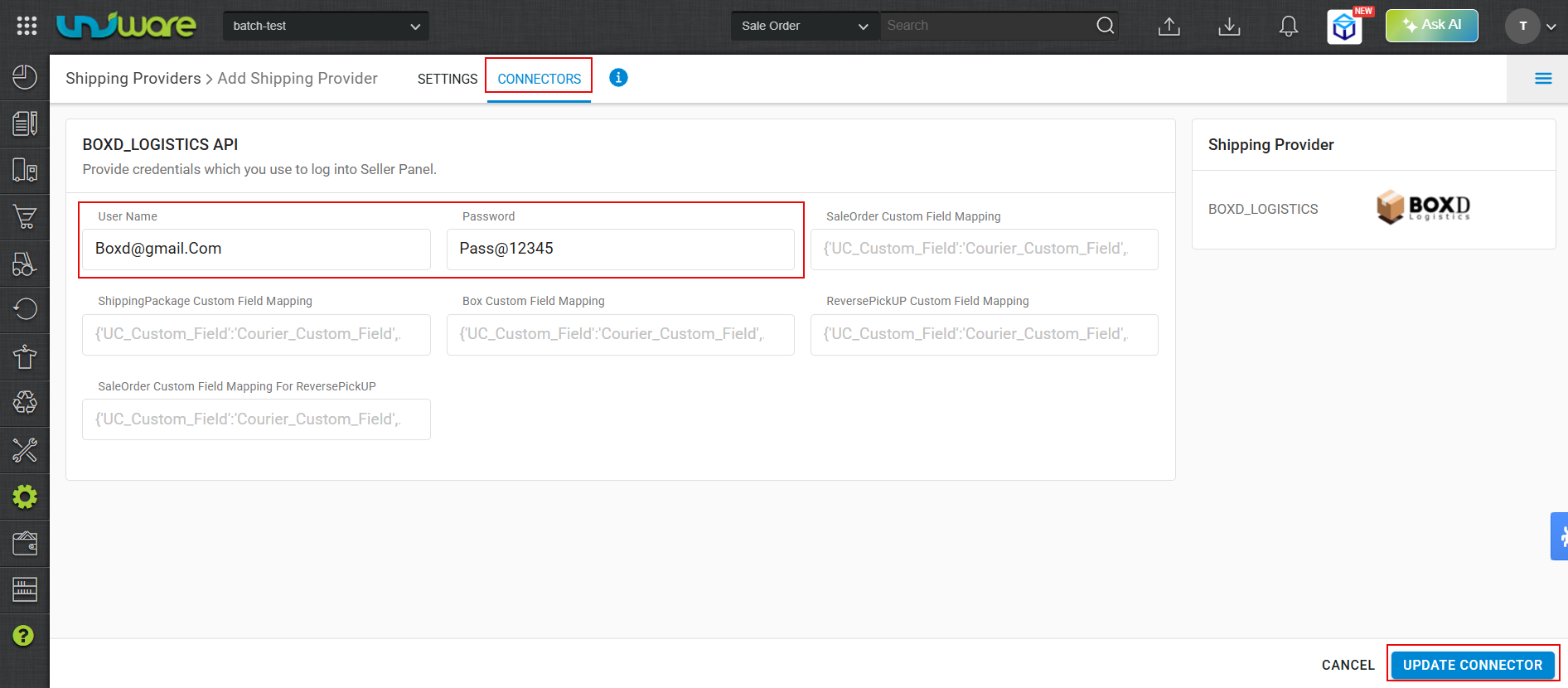
| Fields | Parameter |
| Username | Provided by Shipping Provider (BoxD Logistics) |
| Password | Provided by Shipping Provider (BoxD Logistics) |
| Note : Must Ensure that, address configured on BoxD Logistics must match with the Facility Address Line 1 in Unicommerce. |
Frequently Asked Questions (FAQ’s)
Q1. Which Shipment Method does BoxD Logistics support ?
A. BoxD Logistics supports both forward & Reverse Shipment method.
Q2. Does BoxD Logistics automate real-time tracking ?
A. Yes, BoxD Logistics automates real-time AWB tracking for both Forward & Reverse Shipments.
Q3. Does BoxD Logistics provide the shipping label ?
A. Yes, BoxD Logistics generates and provides the PDF label, but only for forward shipments.
Q4. What specific parameter values must sellers configure for BoxD Logistics ?
A. BoxD Logistics restricts certain fields to specific keywords. To avoid integration errors, sellers must use the following exact values.
| Fields | Parameters |
| Service Type | Blank |
| Handover Mode | Pickup |
Q5. Can sellers reallocate a shipper if an order is cancelled ?
A. Yes, BoxD Logistics enable sellers to reallocate cancelled shipments.